


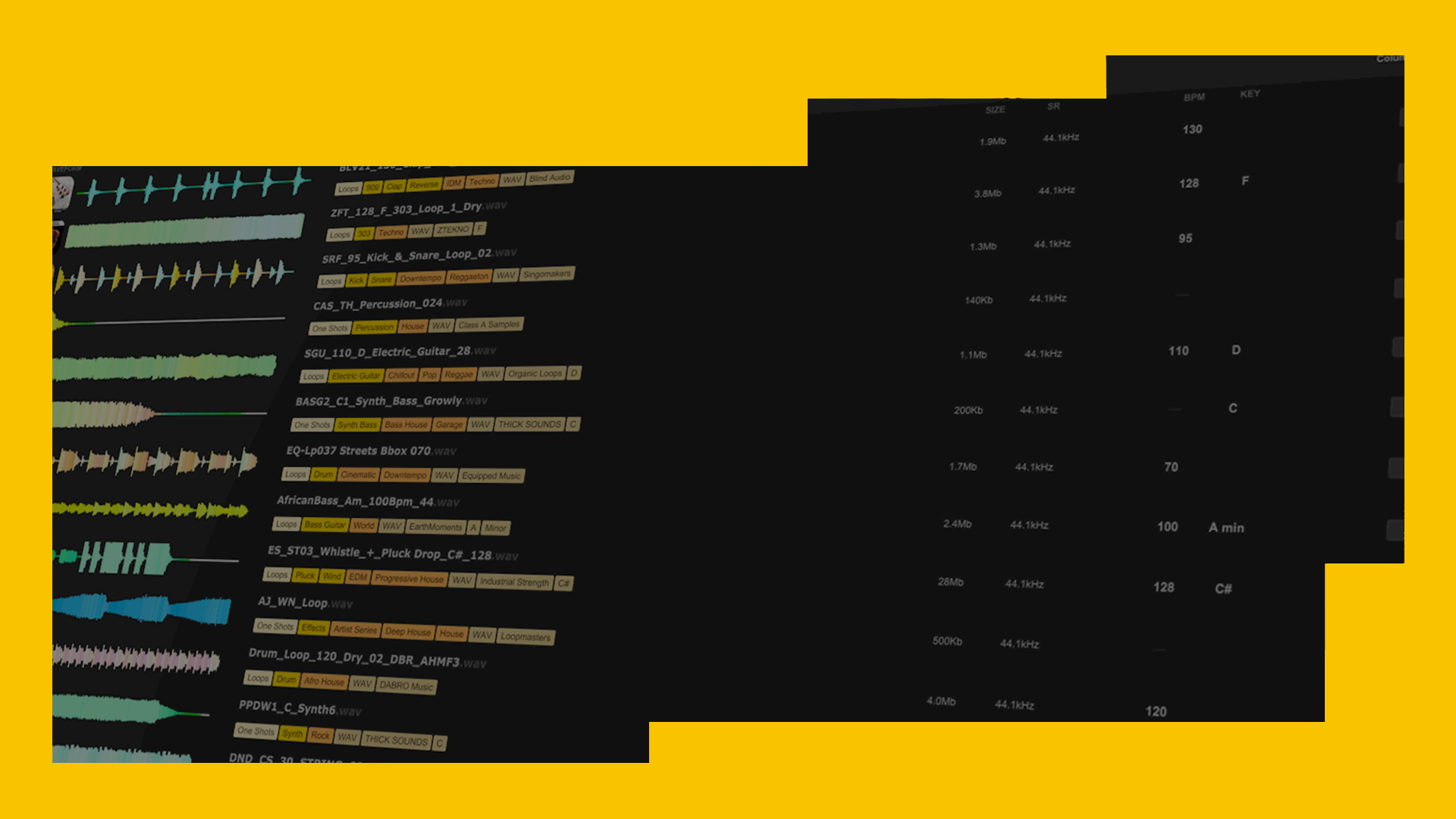
Should I choose Splice or Loopcloud?
Samples are the most important weapon in any producer’s arsenal - high quality, royalty-free sounds are the backbone of the music maker’s workflow, and the modern musician is spoilt for choice when it comes to amazing-quality sounds.
With so many sample subscription services available, which one should you choose? Both platforms boast millions of sounds made by world-class musicians and sound designers. Loopcloud remains the biggest curated sample library in the world, now offering over seven million unique sounds at your fingertips, while a Splice subscription still gives you access to millions of samples too – so what’s the actual difference in 2026?

Loopcloud has more advanced DAW integration
One of the many feathers in Loopcloud’s cap has always been its seamless, powerful integration with your DAW. Splice has since followed-suit, now offering DAW-connected previewing through Bridge 2. However, Loopcloud’s DAW-compatibilities extend considerably further.
Using the Loopcloud plugin inside your DAW, you can audition millions of samples in the correct tempo, and key in Ableton Live, Logic Pro, FL Studio, Maschine, or any other VST/AU/AAX-compatible host software. Samples you haven’t purchased yet stream in preview quality, so you never need to download a thing until you’re confident it works in your project.
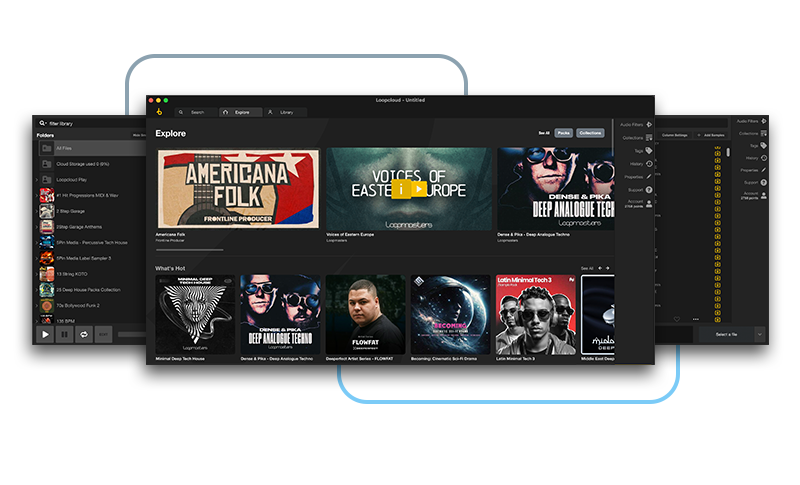
Alongside straightforward auditioning, Loopcloud lets you reshape sounds before you buy them. That includes patterning them out, pitch-shifting, slicing, reversing, stretching, or even running them through multi-FX chains. In recent updates, features like Flip Sample, enhanced pattern tools, and a completely modernised browser make the process faster and more inventive than ever. That’s something Splice doesn’t have under its belt.
Loopcloud is next level - what is there not to love? Loads of amazing samples at my fingertips that I can audition and edit in realtime as part of my project in the right key. Jack Wins 2020
Splice’s new Bridge 2 does provide in-DAW sync and basic auditioning, but it cannot apply effects, multi-layer patterns, time-stretching, or in-plugin transformations before you download a sound. This leaves Loopcloud with a continued advantage for producers who want to experiment quickly and keep the creative flow uninterrupted.
"Loopcloud has to be part of your production arsenal and process…simple as that." DJ Mag
Loopcloud has 150,000+ MIDI files, and Synth Presets too
Sure, there are got millions of audio samples in Loopcloud, but producers don't just need WAVs to do their thing! While Splice has packs and collections that contain MIDI files, on Loopcloud working with MIDI is a thing of beauty.
As well as having over 150,000 MIDI files, Loopcloud lets you access them easily using the MIDI or MIDI Files tags, and categorises them by their key and genre. You can even preview MIDI files in Loopcloud, using a choice of built-in instruments (Pluck, Pad, Saw, Drums…) to preview them. You can even trim MIDI files before dragging them into your DAW.
As for synth presets, Loopcloud has a huge collection of presets for the world's top synths, with Serum, Spire, Massive and many more catered for, all accessible through drag and drop!
Loopcloud lets you chop, flip, and redesign samples before you own them
This remains one of Loopcloud’s standout features. You can take any sound, whether it’s a loop, a one-shot, or a lengthy texture, and transform it freely before committing to a purchase. Chop it into trigger-ready fragments, reverse micro-sections, add reverb or delay, automate filters, or build entirely new rhythmic hooks using the multi-lane Pattern Editor.
The newly introduced Flip Sample tool advances this significantly. With a couple of clicks, you can instantly reimagine a loop into something unexpected: staggered reverses, inverted transients, pitch-flipped fills, beat-rearranged grooves, and completely fresh musical shapes that would normally take a complicated chain of editing tools to create. And, the Flip Sample function has 1000+ unique algorithms to ‘flip’ any sample into a new version instantly.
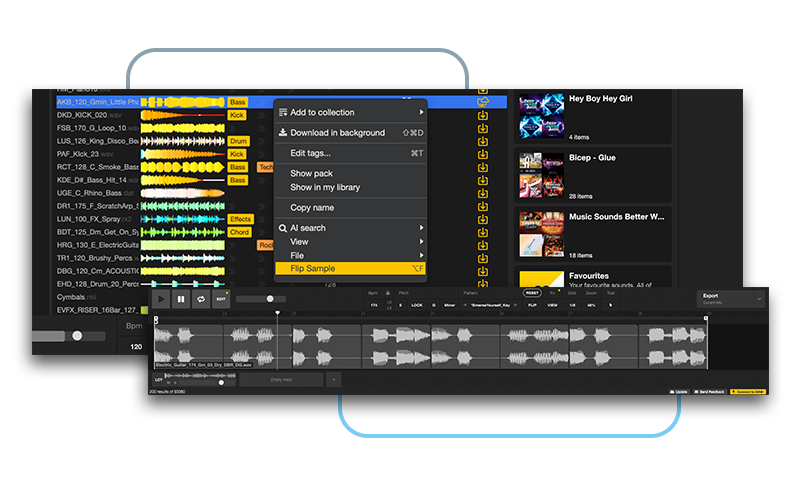
Crucially, you can download both the edited version and the untouched original.
Loopcloud can manage your entire sample library
If you already have a large personal sample collection, Loopcloud helps you bring everything into one place: searchable, tagged, organised and unified under the same interface. This isn’t limited to your Loopcloud purchases – every folder you import receives automatic tagging for BPM, key, instrument type, genre and more. That’s a significant flex!
Recent updates have introduced: improved AI key detection, better BPM analysis for complex or polyrhythmic loops, intelligent duplicate detection, enhanced spectral tagging, smarter grouping for similar sounds.
Splice has added basic auto-tagging for user files in 2025, but it’s still nowhere near the same level of library management. Loopcloud remains the only ecosystem that genuinely lets you house, tag, edit, auditio and transform ALL your samples in one unified environment with such precision and efficiency
We love Loopcloud! The ability to search for specific samples by instrument, genre or tempo and seek out exactly what you need in your track is incredible. Document One 2020
Loopcloud comes with an exclusive plugin suite
Both Loopcloud and Splice give access to banks of professional sounds from top creators. Splice has expanded its creative tools over the years with plugins like Astra, Beatmaker and the AI-powered CoSo app. But Loopcloud continues to differentiate itself through plugins that integrate directly with its library and workflow.
The Loopcloud Plugin Suite includes Loopcloud Drum 2 and Loopcloud Play 2, both heavily updated since their first-launched predecessors, which were still significantly innovative and sophisticated tools.
Loopcloud Drum, a powerful, modern 16-pad drum machine with an improved sequencer, deeper modulation, new FX algorithms, drag-and-drop pad loading and tight integration with Loopcloud’s sample library.
Loopcloud Play, on the other hand, is a versatile sample-based instrument offering keys, basses, pads, plucks and more. Play 2 brings highly enhanced filters, macros, envelopes, and performance controls, plus thousands of playable patches sourced from the Loopcloud ecosystem.
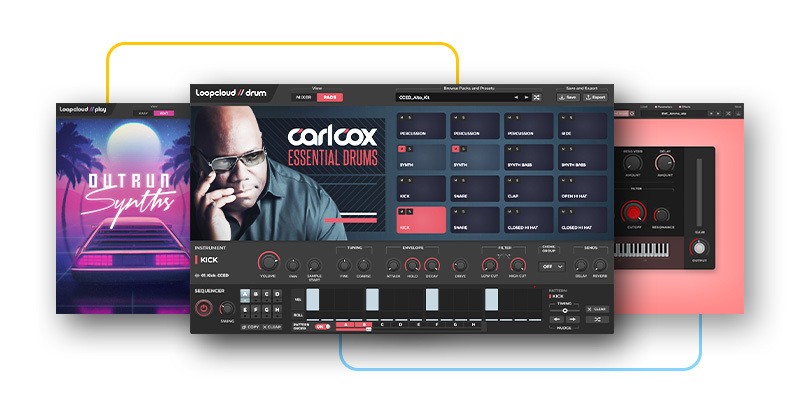
Perhaps most importantly, both instruments now integrate with the Flip Sample functionality and Loopcloud’s pattern shaping tools, making it easier than ever to turn one-shots or loops into full, expressive instruments. This update harmonises all of the Loopcloud tools further, allowing symbiosis between all of them.
These tools remain exclusive to Loopcloud subscribers, giving you a genuinely new dimension for flipping samples into playable, musical textures with extreme ease of use. That’s make these tools great for beginners and pros alike.
Loopcloud’s more flexible subscription model
Loopcloud still keeps things flexible. The Artist plan starts at £5.99 / $7.99 per month, which includes full Loopcloud functionality, daily free sounds, cloud storage, 100 monthly points and access to the plugin suite. Studio and Professional tiers add more points, larger cloud storage allocations, higher daily sound allowances and the ability to sync across multiple computers.
Splice’s pricing has expanded into several Creator tiers, but the base plan still comes in at $7.99 for 100 monthly credits. Higher levels add Astra, Beatmaker and larger credit bundles, but you’ll still need to download sounds before manipulating them.
“What was the master of sample management is fast becoming the fastest and most inspirational block-busting writer’s tool out there.” Music Tech
Credit retention
One practical bonus for Loopcloud users is that unused points now roll over for up to 36 months. Splice reduced its rollover window in 2025, so Loopcloud is more generous here, especially for producers who stack their points and spend in bursts.
One frustrating thing about Splice particularly is that, if you cancel your subscription, even if you intend to rejoin at a later stage, you will lose the entirety of your banked credits. Splice encourages you to ‘pause’ your subscription for a maximum of 2 months, after which you will be automatically charged again. This means if you want to take a break longer than 2 months, but don’t want to lose your credits, you’ll be obliged to still pay.
Upgrade, Downgrade or Cancel at anytime
There are loads of ways to get started with Loopcloud thanks to a wide range of helpful tutorials, support articles and FAQs. Upon registering, you also get a 1GB Welcome Pack, daily free sounds—all included in the 14-day free trial that unlocks the full Pro feature set. This makes Loopcloud accessible for all, with a reasonable trial period offering extensive value before you decide to commit.
Loopcloud plans can be upgraded, downgraded or cancelled at any time, giving you lots of flexibility as your workflow or production schedule changes.
“Loopcloud is a complete creative environment that enables you to think about your sounds in a totally different way.” MusicRadar
Keep Ideas Moving
Try Loopcloud free for 14 days. Cancel anytime.

Import your existing sounds · Works with your existing DAW · Setup in under 2 minutes