

Blog
Best Free Auto-Tune Plugins
4 Aug '2026
Here are a few ways to get your vocals tuned to perfection or T-Pained into complete pitch quantisation – for no money!
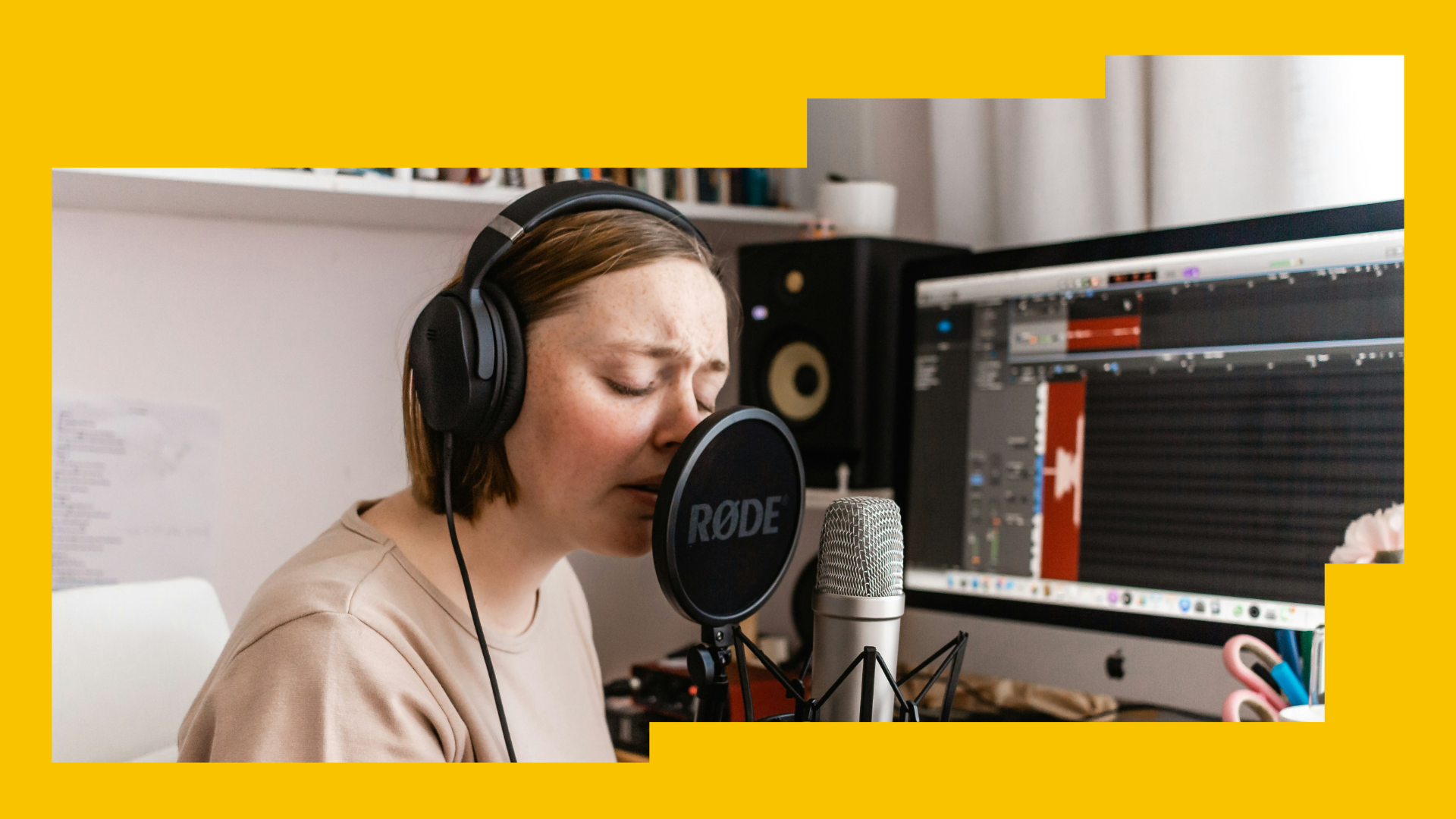
Photo by Sincerely Media on Unsplash
Auto-Tune has had a big effect on the recent history of music. From being a real-time tuning tool for live music (much maligned by many parents), Auto-Tune’s story in the studio was boosted when Cher’s Believe seemingly broke the sound barrier in 1998, and then later with artists like T-Pain kicking off a phase in the 2010s when “the Auto-Tune effect” was absolutely everywhere.
For better or for worse, Auto-Tune is probably the most famous plugin ever made (or the most infamous). It’s the one that non-producers can even name. So how do you get your hands on it?
How can you get a Free Auto-Tune plugin?
Many of the algorithms that made Auto-Tune famous are now out of patent, so many takes on the plugin format now exist, including Slate Digital MetaTune and Waves Tune Real-Time. But these are paid plugins.
As discussed, the original Auto-Tune isn’t free, but getting a copy of a similar plugin or lite version is still possible without paying the full price. Here’s our guide to Auto-Tune alternatives if you want to achieve the signature T-Pain sound without spending any (or the full stack of) money. First, we’ll cover various free/budget Auto-Tune-style plugins, and then later we’ll cover ways you might be able to use your DAW’s native functionality to get Auto-Tune-like results. Finally, we’ll dive into some of the full-price, premium Auto-Tune plugins. Let’s jump in!
1. MAutoPitch
You can think of MAutoPitch as a Lite version of Auto-Tune. It is very minimalistic, providing the bare essentials of auto pitch correction in a single plugin. However, it's neatly packaged into a clean GUI, and will cost you the grand total price of… nothing at all. That’s right, it’s completely free. This fact alone makes MAutoPitch one of the best entry-level Auto-Tune plugins available on the interweb.
So, what are you waiting for? If you’re looking to get started with Auto-Tuning your vocals today, why not start with MAutoPitch by MeldaProduction? MAutoPitch is also available as part of the MfreeFXBundle, also provided by MeldaProduction.
Where to Get MAutoPitch
You can download MAutoPitch now completely free from the MeldaProduction website.
What’s Different about MAutoPitch?
It’s simple and refined compared to the full-whammy Auto-Tune plugins, however, at an utterly free price point, with a well-furbished interface, you can’t really complain. The results still speak for themselves.
2. Kerovee
Providing you’re a Windows PC user, Kerovee is another completely free auto pitch correction plugin available to you. The interface is a bit more old-school compared to other entries in this list, and because the developer company is Japanese, it can be a bit hard to grasp the full spectrum of controls. But… Overall, Kerovee is a standard Auto-Tune plugin, and, with a free entry point, it’s not a bad starting point.
Perhaps you want to get experimental with a few different Auto-Tune alternatives, or have a hoarder mentality when it comes to accumulating plugins. If so, Kerovee is worth adding to your library despite its limitations.
Where to Get Kerovee
If you’re on Windows (Kerovee’s not available on other operating systems), head over to the g200kg website to download Kerovee.
What’s Different about Kerovee?
Kerovee has an old-school design, and it’s only available on Windows. This might make it slightly less preferable. However, if you’re looking to surprise artists in the studio with a rare Japanese plugin, try loading Kerovee onto their vocal FX chain.
3. Graillon 2
This is one of the more unique options you have available to you. The full version will set you back $29 (not bad when you consider the additional functionality), but you can also gain access to a free edition of Graillon 2 as well. The interface features a circle-of-fifths-style visual spectrum, making way for some pretty unique harmonization controls, as well as your typical auto pitch correction.
The additional harmonizer controls and unique visual spectrum make Graillon 2 a cool plugin to have at your disposal; however, it can also be a bit finicky to get familiar with. Overall, you can’t really go wrong by taking it on a test drive with the free version.
Where to Get Graillon 2
Jump into the free edition of Graillon 2 today at the Auburn Sounds website.
What’s Different about Graillon 2?
Graillon 2 features a circle-of-fifths key selection and visual spectrum, including easily selectable, in-key vocal harmony layers. This makes it pretty unique.
4. GSnap
Next up, we have another Windows-only free Auto-Tune alternative. GSnap is developed by UK-based company GVST, who specialise in releasing free-to-use VSTs to the interweb. If you’re a Windows user, and looking for a minimalistic, easy-to-use pitch correction plugin, perhaps GSnap is the one for you. However, users online have reported its pitch correction can be a bit indecisive and glitchy at times.
We’re sure someone out there will find utility in the plugin. Its compact design and simple interface can provide a quick-fix auto-tune solution for basic jobs, so, maybe it’s worthwhile adding it to your plugin bank.
Where to Get GSnap
GSnap is available (only for Windows users) on the GVST website now, completely free.
What’s Different about GSnap?
GSnap is very simplistic, making it a good option to have in your toolkit for quick-fix jobs. However, you’ll probably struggle to achieve professional results for anything more than basic pitch correction.
5. Antares Auto-Tune Access 10
This is the real deal, original Auto-Tune, except on a budget. Antares released the Access 10 version of Auto-Tune specifically to cater to producers who need to be a bit stricter with their expenditure, or who are simply looking to trial the plugin before splashing cash on the full version.
Technically, this one isn’t exactly free. It’s the only entry out of these first six that doesn’t have a totally free version available, however, for $49, it won’t set you back too much. And, if you’re considering upgrading to AutoTune Pro 11 or AutoTune 2026, spending this amount to test the waters could be a worthwhile investment for your future.
Where to Get Antares Auto-Tune Access 10
You can acquire the official Antares Auto-Tune Access 10 from its Plugin Boutique store page.
What’s Different about Antares Auto-Tune Access 10?
It has limited functionality compared to later pro versions, however, will still allow you to Auto-Tune your vocals in true T-Pain style.
6. Voloco
Voloco is a well-rounded Auto-Tune alternative with a simplistic interface and easy-to-navigate controls. The results are a little robotic compared to, say, the more human/natural pitch correction found in something like Melodyne; however, that shouldn’t be too much of a problem if you’re aiming for the traditional Auto-Tune sound found across the hip-hop and trap genres.
Technically, the plugin isn’t free – the full version will set you back $14.99 per month; however, Resonant Cavity do offer a 14-day free trial of the plugin.
Where to Get Voloco
You can download a 14-day trial version of Voloco completely free from the official Resonant Cavity website.
What’s Different about Voloco?
Voloco takes an innovative approach to pitch correction with its unique Resynthesizer, Harmony and Sequencer panels, allowing for more intricate control over pitch correction and harmonizer details. Read more about specifics on the Voloco web page.
7. Autotalent
Autotalent by Oli Larkin may be an older, simpler Auto-Tune plugin than most on this list; the over-a-decade-old YouTube video attests to that. It doesn’t feature the flashiest interface or the most parameters. But its simple design and limitations may be perfect for some producers' workflow, especially if you are going after a 2000’s/early-2010’s DIY sound to your production.
The plugin is completely free and is currently hosted on Plugins4Free, although from previous user reviews it may be worth seeing if your software is compatible with something so ancient, at least in the timeframe of the internet.
Where to Get Autotalent
You can download Autotalent completely free from Plugins4Free.
What’s Different about Autotalent?
Autotalent is made for mono tracks only, unfortunately. Meaning if it’s used on a stereo track, it will copy the left channel and duplicate it to the right. Its simple controls, however, make it easy to use quickly to achieve the classic Auto-Tune sound.
8. MXTune
More of an alternative to Melodyne, but absolutely usable for that classic Auto-Tune sound, MXTune’s interface uses a specific window where you can choose the desired note for your track to hit. However, using its ‘snap key’ function will achieve a similar automatic pitch correction effect. Although you may find you have to correct spots where the original signal was too far off the intended pitch.
The plugin is completely free and is currently hosted on Plugins4Free, although it is only for Windows and Linux currently. Different DAWs and operating systems may also have trouble running the plugin smoothly, so it’s worth doing some research and testing before use.
Where to Get MXTune
You can download MXTune completely free from Plugins4Free.
What’s Different about MXTune?
MXTune is more of a pitch correction tool than just an Auto-Tune; however, different uses and controls allow for different effects, from invisible pitch correction to TPain-style vocals. It also features automatic pitch detection.
Which DAWs have Auto-Tune-style solutions for tuning vocals?
Some DAWs offer a native alternative (included in their stock library) to Auto-Tune’s pitch correction. However, these are often quite limited and require manual tuning. Overall, they’re still fully capable of achieving the same/very similar results if in the right hands though. They just require a bit more manual labour. Let’s take a look at some of the top vocal tuning options native to specific DAWs.
1. FL Studio - Newtone
FL Studio is available in a few different tiers and the native pitch correction plugin, Newtone isn’t included in all of them. It’s worth checking the comparison list of FL Studio versions here to see if your version has Newtone, or before making a new DAW purchase.
Newtone is relatively minimalistic in its interface and capabilities, however, it’s also fairly easy to come to grips with and still can become a reliable vocal-tuning companion, should you take the time to learn its ins and outs. Simply import your target vocal into an instance of Newtone, watch the notes be mapped to their relative key, and start chipping away at the tuning controls to manually repitch each note. Maybe it's worth watching the above YouTube video for a full breakdown.
Overall, this plugin is more suitable for gentle pitch correction jobs, over full-blown Travis Scott robotic-style vocals. You can push the correction to that degree if you wish, but it becomes a real challenge to achieve those results when you have to manually tune each note. Still, if you’re an FL user and have Newtone at your disposal, we’re sure you’ll find it useful in some scenarios.
Where to Get FL Studio
You can buy yourself a version of FL Studio with Newtone today at the official Image-Line store today.
What’s Unique about Newtone?
Newtone is almost like an FL lite version of Melodyne. It’s similar in its design but with less features. It also relies primarily on manual tuning, which makes it more effort to use. However, if you’re already an FL Studio user, it’s surely a good choice.
2. Steinberg - VariAudio
VariAudio is Steinberg’s addition to the vocal tuning sphere. However, it’s only available to users of the Pro version of the Cubase DAW. VariAudio is very similar to Newtone in that it allows you to import a recorded monophonic sound source and tune its notes (or segments) manually with various controls, including pitch and formant.
As a native choice for users of Cubase, it’s certainly not a bad option. You can achieve professional-grade vocal tuning results with VariAudio, however, the tedious manual labour needed, compared to something like the fully-fledged Auto-Tune Pro by Antares, can still make you feel deprived if you’re used to the latter. With that being said, VariAudio is an excellent option for vocal tuning if you already have access to it. Although, like FL Studio’s Newtone, it’s probably more suited for gentle pitch correction jobs, rather than full-scale T-Pain-style vocals.
Where to Get Cubase Pro
Head over to the Steinberg website today to cop yourself a version of Cubase, however, we must warn you, the Pro version of Cubase isn’t cheap. So, if you’re considering buying it just for access to VariAudio, we’d advise you to weigh up your other options first.
What’s Unique about VariAudio?
VariAudio is smoothly integrated into the Cubase DAW with relatively beginner-friendly controls. This means you can come to grips with it quite quickly, however, it also has limited functionality compared to some of the paid, third-party Auto-Tune alternatives.
3. Logic Pro - Flex Pitch
Logic Pro is the staple DAW for all Apple Mac fanatics. The DAW is one of the most popular and with good reason. It’s sold at an affordable price point, loaded with powerful stock plugins and capable of competing in the professional and commercial climate. But, how does its Auto-Tune capabilities hold up? Well, as it turns out… honestly, not too bad.
Logic Pro doesn’t come with a native plugin for its internal pitch correction, but rather a dedicated control panel per audio track. Just click the Flex Time button, enable Flex Time for the specified audio track. Logic will then analyse your audio track. You can then open it up in the Editor window and meticulously tune it until your heart’s content.
Once again, these pitch tuning controls require manual labour, but, honestly, Apple’s integration of Flex Pitch is more well-rounded and initially user-friendly compared to VariAudio or Newtone. And, you can probably push the controls to get away with slightly more robotic and signature Auto-Tune style vocals, compared to the other two DAWs as well.
Where to Get Logic Pro
Logic Pro 11 is available on Apple Mac from the App store now, all for the affordable price of $299!
What’s Unique about Flex Pitch?
Flex Pitch is integrated as an internal control panel within the Logic Pro interface, rather than operating as a VST/AU plugin you add to your FX chain. The controls are plentiful and the design is well-rounded.
4. Reason - Neptune/beyond
A sometimes overlooked DAW with a dedicated user base that love how instruments and effects are incorporated within the rack system; Reason is somewhat comparable to Ableton in how it allows for a range of composition and arrangement styles. With creative flexibility and customisation without getting too deep into the backend of the software, like with Logic Pro or Reaper.
It is also notable for coming packed with highly usable instruments and effects, which include the pitch adjuster and voice synth Neptune, capable of the classic autotune sound and much more. With built-in pitch detection, key signature/piano roll note selection, and a voice synthesizer, Neptune allows for subtle pitch correction to full-blown vocoder madness and beyond. Especially when using its pitch CV output to control other instruments.
Reason also comes with a Melodyne-inspired pitch correction tool inside its editing window. Allowing you to automatically adjust pitch within an audio file to its nearest corresponding note on the piano roll, or by manually dragging the note to your desired pitch. Mostly for transparent pitch correction, but results vary depending on the audio file being edited and your settings.
Where to Get Reason
Reason is available through the official Reason Studios Website for £14.08 a month, or as a perpetual license for £299. You can also buy the Reason Rack, alongside its instruments and effects, as a stand-alone plugin.
What’s Unique about Reason?
Comes with both a great Auto-Tune tool that extends to a vocoder and voice synth, as well as a powerful built-in pitch correction. The Reason Rack, with Neptune included, can also be purchased separately to use within your DAW of choice.
5. Reaper - ReaTune
Reaper gains more support every year, which isn’t surprising with its usability and range being comparable to that of industry-standard DAWs such as Pro Tools. Some professionals are even migrating to Reaper in both the music and film world due to its customisability and dedicated community creating custom tools and skins for the software.
It’s also, in a way, free at the point of use. At least until you decide to stop ‘evaluating’ the software and pay for the license. Making its stock autotune and pitch correction tool, ReaTune, somewhat included in the previous section of this article. That being said, Reaper goes for functionality over aesthetics, which makes a lot of their tools look more bare-bones than they actually are. ReTune is no exception, being more powerful than its unassuming appearance conveys.
ReaTune features automatic pitch adjustment, a manual option for more specific pitch correction, as well as 8 pitch correction algorithms that change its overall character and sound. ReaTune isn’t stuffed with parameters, as the only controls you need to concern yourself with, at least in the automatic section, are the key information and the attack time. Lower attack times give a less transparent form of correction, creating that Auto-Tune sound.
Where to Get Reaper
Reaper is available through its official website and is available free for 60-days, after which it will ask you to pay for either a discounted licence, $60, or the $225 commercial license.
What’s Unique about ReaTune?
ReaTune contains exceptionally powerful pitch correction algorithms that allow for its display and controls to be stripped back and incredibly simple. Giving both automatic pitch correction options and deeper and more specific manual ones.
FAQs
Are there any good free autotune plugins?
There are a few reliable free alternatives to the official Antares Auto-Tune plugin range, including: Voloco, Kerovee, MAutoPitch, Gallion 2 and GSnap. Some of these plugins are totally free, and some of them are only free for a short duration under a trial edition.
What auto-tune do professionals use?
The signature sound produced by artists like T-Pain and Travis Scott was predominantly achieved and made famous using the Antares Auto-Tune Pro plugin. This plugin is revered for that signature “autotune” sound, now saturating the hip-hop and trap genres.
Antares Auto-Tune is available in many different iterations, all available on the official Antares website. Auto-Tune is often regarded as the best Auto-Tune plugin for its ease-of-use and automatic vocal tuning.
How to get auto-tune pro for free?
Whilst you can’t exactly get the full version of Auto-Tune Pro for free, you can sign up for a 14-day trial on the Antares website. You can then choose to join a subscription service at whatever tier is most affordable to you, to suit your needs.