


FX Power Guide – How to use Ear Candy Samples for more Interesting Tracks
Make tracks feel finished with subtle FX details, ear candy samples and creative sound placement
You might think to use FX samples for big, obvious moments: risers before drops, crashes on section changes or impacts that bring about a new section in the arrangement. But some of the most useful FX are much smaller.
In this guide, we’ll go through the process of adding short, subtle “ear candy” samples to your arrangement, and how it can make a track feel more polished, alive and engaging.
The Three Ways to Use FX Samples
Risers and transitions
Some of the most common FX Samples are risers, impacts and transitions, these help you transition your arrangement from one section to another.
Incidental sounds or ear candy
Incidental sounds are the small one-shots, the fills, stabs and reversed sounds that add detail and interest in the groove. They are the sounds that keep your ears interested, filling the gaps and emphasising other elements.
Textural layers and foley
Sounds that are used more like atmosphere, ambience or background movement, perhaps some vinyl noise, leaves crunching or a distant vocal sample.
For this article, we’ll be focusing on the second category, ear candy. We’ll run you through a track before and after it’s been filled with ear candy samples that change up the impact, groove, texture and detail of this example arrangement.
Before: Something Feels… a Little Plain?
Here’s the track before adding any ear candy. The groove is there and the main parts of the arrangement are in place, but something feels… a little plain?
The movement between each instrument is fairly predictable and the groove feels a little bit incomplete, there’s not many flourishes or really captivating moments.
After: A Track That Feels Alive
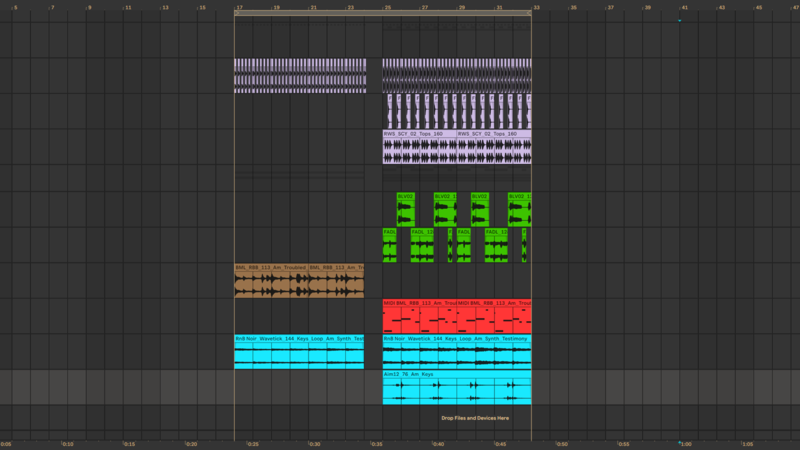
The name ear candy relies on the fact that each sound should treat your ears to something new and interesting, keeping your track engaging and giving it that “finished” feeling. Here’s the track after adding the FX and ear candy samples:
Notice here that the structure is the same, but after the ear candy is added to the arrangement the track contains extra movement, surprise and detail. The result feels more produced and established without the need to rewrite any of the main musical parts.
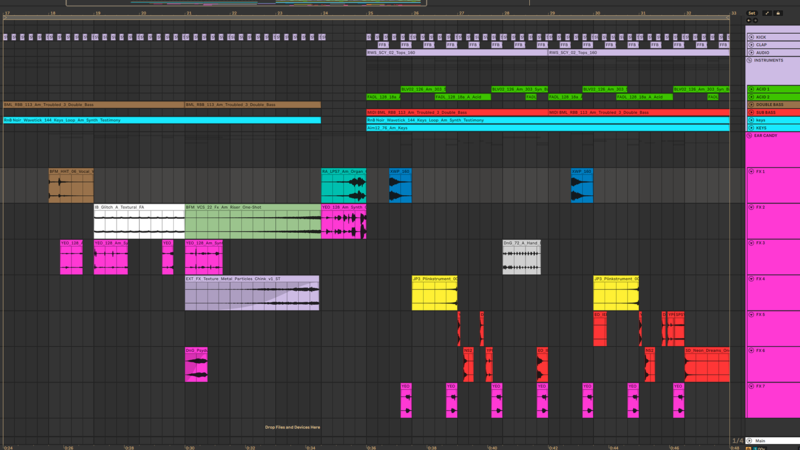
What has changed? Why does the track feel more interesting? The answer lies in the accumulation of lots of small moments that support the rhythm, highlight and fill out transitions and add character to each repetition of the main parts.
Finding Ear Candy Samples in Loopcloud
With all the sounds in this track available on Loopcloud, one important part of the process is searching for the right sounds in order to find useful material. Here’s a few great ways to find samples that fit:
-
Combine a search term with Loopcloud’s Audio Filters:
To audition for the right thing, refine short over long samples, high over low tone, the key of your track or any of the great audio filters when searching for terms like “FX”, “Glitch”, “Texture” or “Stab” -
Look for sounds that compliment the track:
If you connect Loopcloud to your DAW, you can audition samples in time with your track and even in-key, allowing you to listen exactly how it would sound in your project, saving you time getting to the right sounds. -
If it works, stick with it:
If you find one sample that fits the track, try using the similar sound search function to find other samples like that one. -
Something not quite right? Flip it:
If a sample you find fits the track tonally, but the rhythm doesn’t quite work, try using the flip sample feature to get a different variation of that sound instantly, without spending time chopping up your sample.
With loads of great ways to get FX samples, the next step is to actually get them working in your project. Next, we’ll dive into how the ear candy FX samples were utilised in this example.
Ear Candy Explained 1: The Intro Texture and The Pre Drop
The introduction of this arrangement included very few rhythmic elements before; the kick and bass were stabilising the rhythm, but the texture lacked depth and the rhythm had no flourishes or exciting moments.
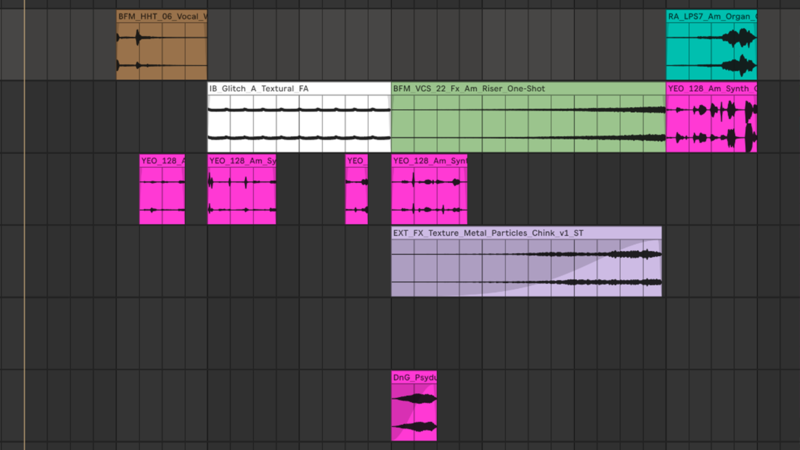
In this section textural foley was added, along with a riser and several small snippets of a sample that would be used as ear candy later in the arrangement (see pink clips). These sounds keep the relatively repetitive intro sounding fresh throughout, whilst building tension with the riser to bring up the energy before the pre-drop fill.
The pre-drop fill has two layers; one FX sample that is reversed along with a different, louder snippet of the same pink sample we used earlier. Using snippets of loops can be a great way to keep your ear candy sounds similar, avoiding a hectic sounding arrangement. Try clipping lots of different parts that all share tonality and distribute them around in the space in your arrangement.
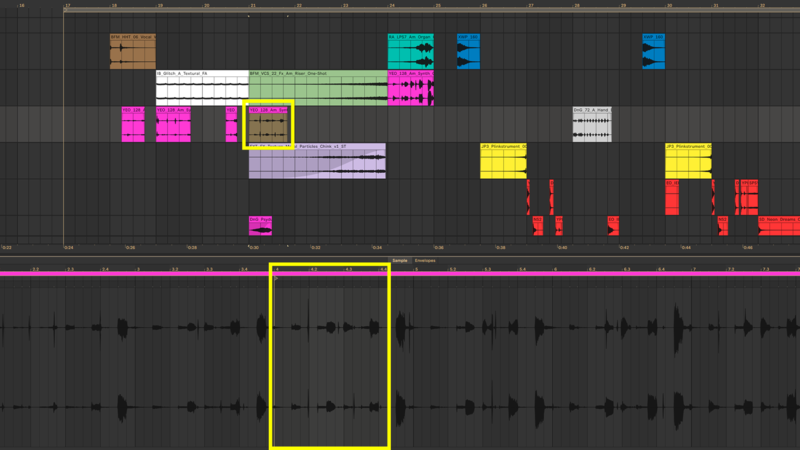
Very little processing is used on these sounds, keeping them dry allows the ear to stay focused on the small details, allowing the main elements to stay mostly in the background during this build up section.
Ear Candy Explained 2: Groove, Support and Space
The second section of this arrangement was working before, the structure was there and most of the frequency spectrum was filled out, but there was plenty of room for extra high end action. Most of the FX sounds added to this section are high frequency focused, filling out that space in the mix.
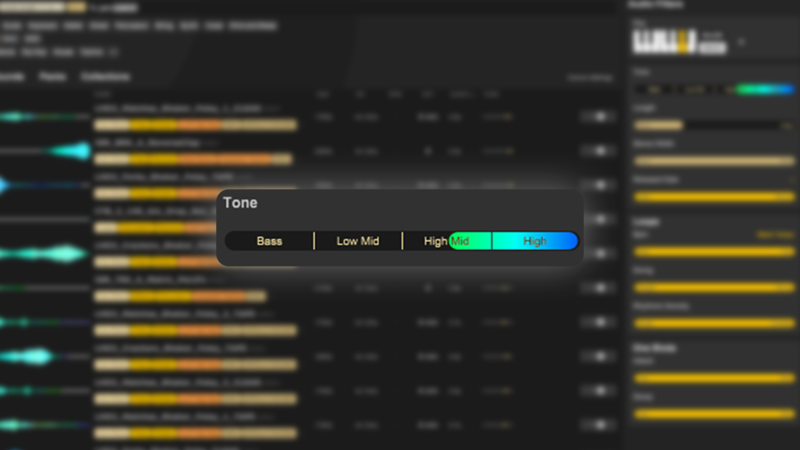
Loopcloud’s tone filter makes finding FX sounds that sit in the high end easy. Once you get your FX sounds into the DAW, you can place them carefully, reverse them and chop them up to compliment areas of the existing groove or fill out space with a new rhythm. Once again our pink sample returns in this section, helping with continuity by keeping some of the tonality that was present in the introduction and pre-drop section.
One of the most important parts of distributing these sounds was making use of stereo panning. Placing some of these sounds left and others right not only keeps your ears interested in following those ear candy samples, but it allows for interesting stereo movement without committing to hard-panning any of your main instruments.
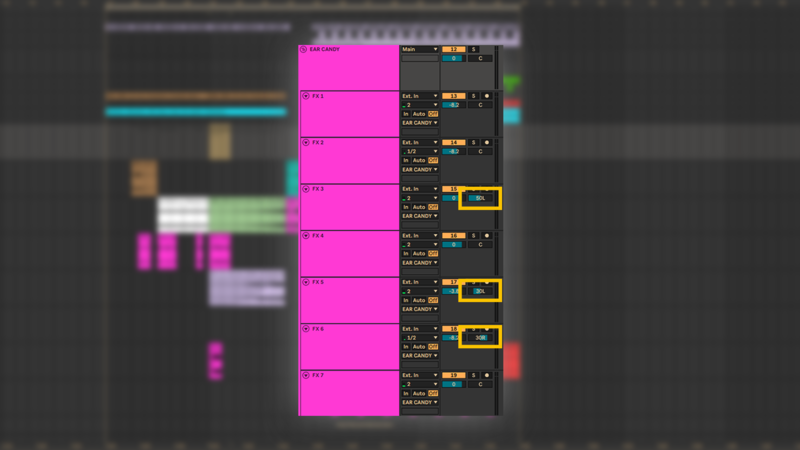
Again, most of the sounds were kept dry to keep their delicate rhythms intact without effects blurring their clarity and detail. You could of course try distortion, filtering or anything you like here to make each sound even more exciting!
Keep Ideas Moving
Try Loopcloud free for 14 days. Cancel anytime.

Import your existing sounds · Works with your existing DAW · Setup in under 2 minutes