


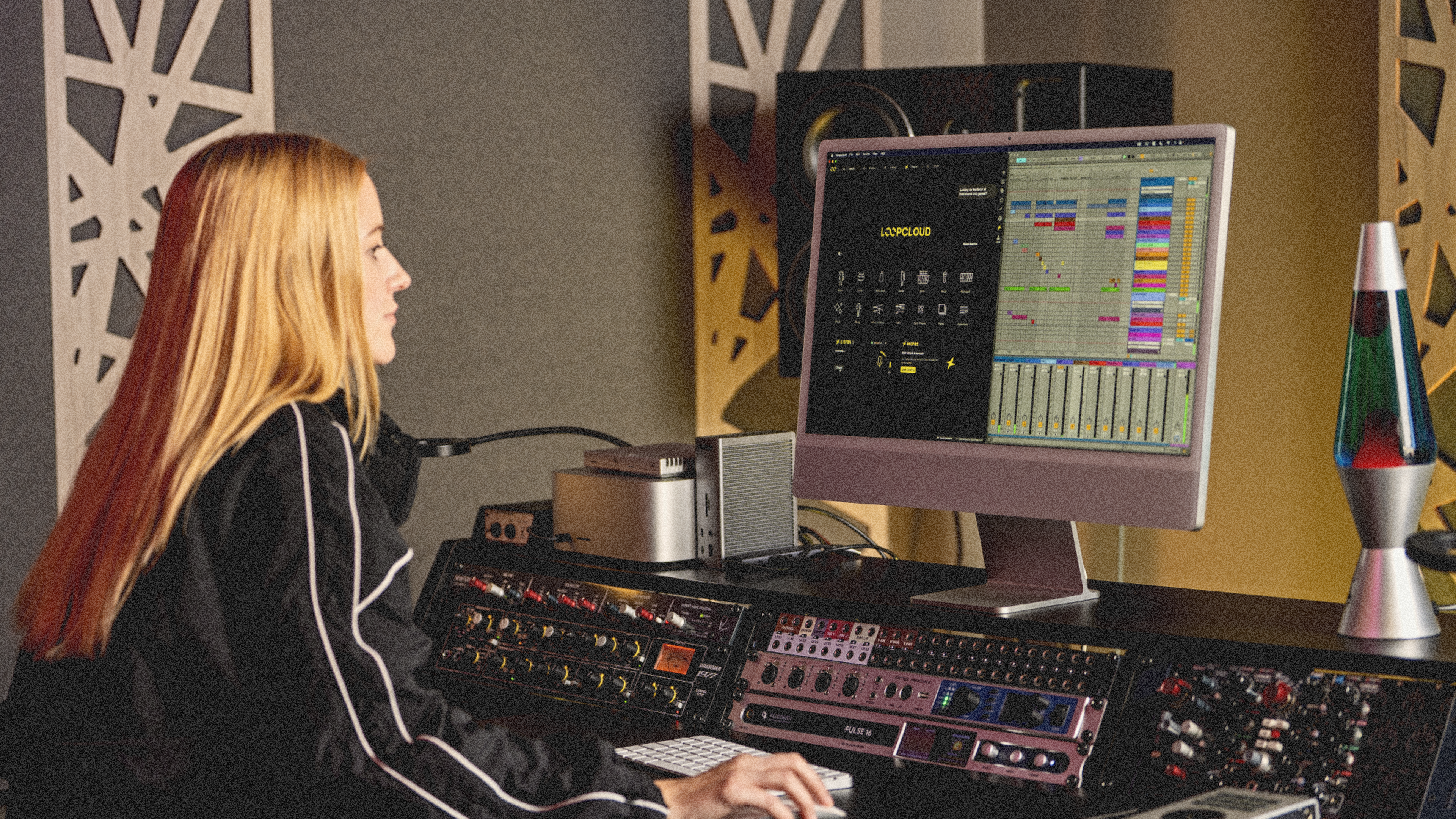
Loopcloud 8 is Here! Discover What’s New
The highly regarded Loopcloud cloud service has received a brand-spanking-new update with more impressive features than ever before. Let’s break it down!
Loopcloud has just received its biggest update yet, with more to unpack than ever before. Whether focusing on the new Inspire feature, or discussing the 1000 new combinations inside the Flip function (doubling its previous amount), this new and improved version will impress new Loopcloud users and seasoned Loopcloud vets alike.
In this article, we’ll break down all of the new features one by one. To experience them yourself, update Loopcloud on your desktop computer, or start your Loopcloud trial today.
The Slick, New User Interface
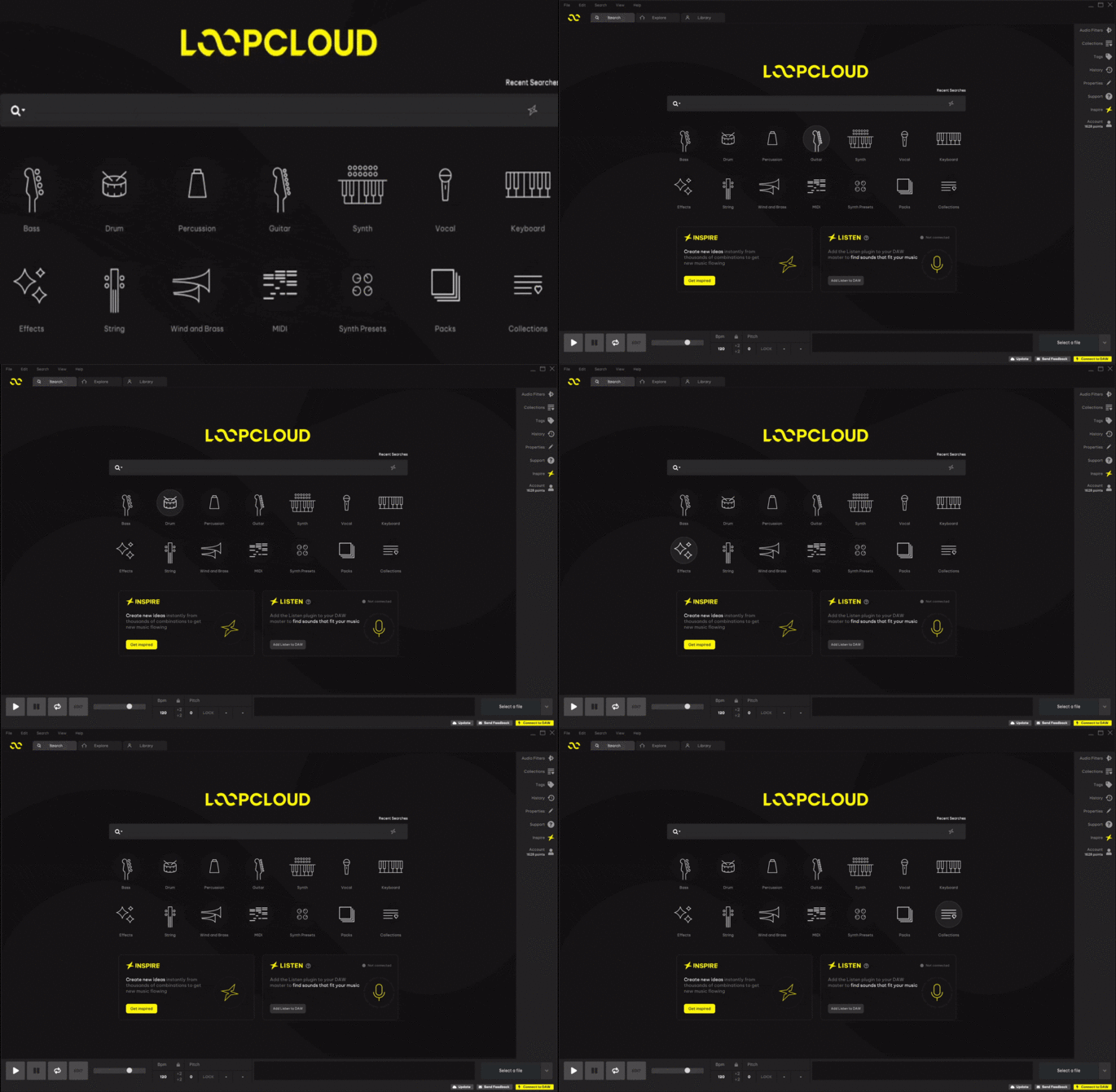
Upon booting into the Loopcloud desktop app (or the new iOS app), you’ll be immediately greeted by the slick and futuristic-looking UI. The Loopcloud Logo has been redesigned, and the colour scheme has been revitalised into a striking lemon-yellow.
The previous multicoloured instrument types have been changed to reflect the new colour scheme, and you’ll also find the new Advanced Search bar centre screen. Lastly, we’ve got two standout prompts for the new Inspire and Listen features sitting neatly underneath everything else.
Inspire
The new Inspire feature is one of the standout functions rolled out in the new update. You can go ahead and click the ‘Get inspired’ button on the first tab to open a new Inspire window. From here, you’ll be prompted to choose the genre you want to work with
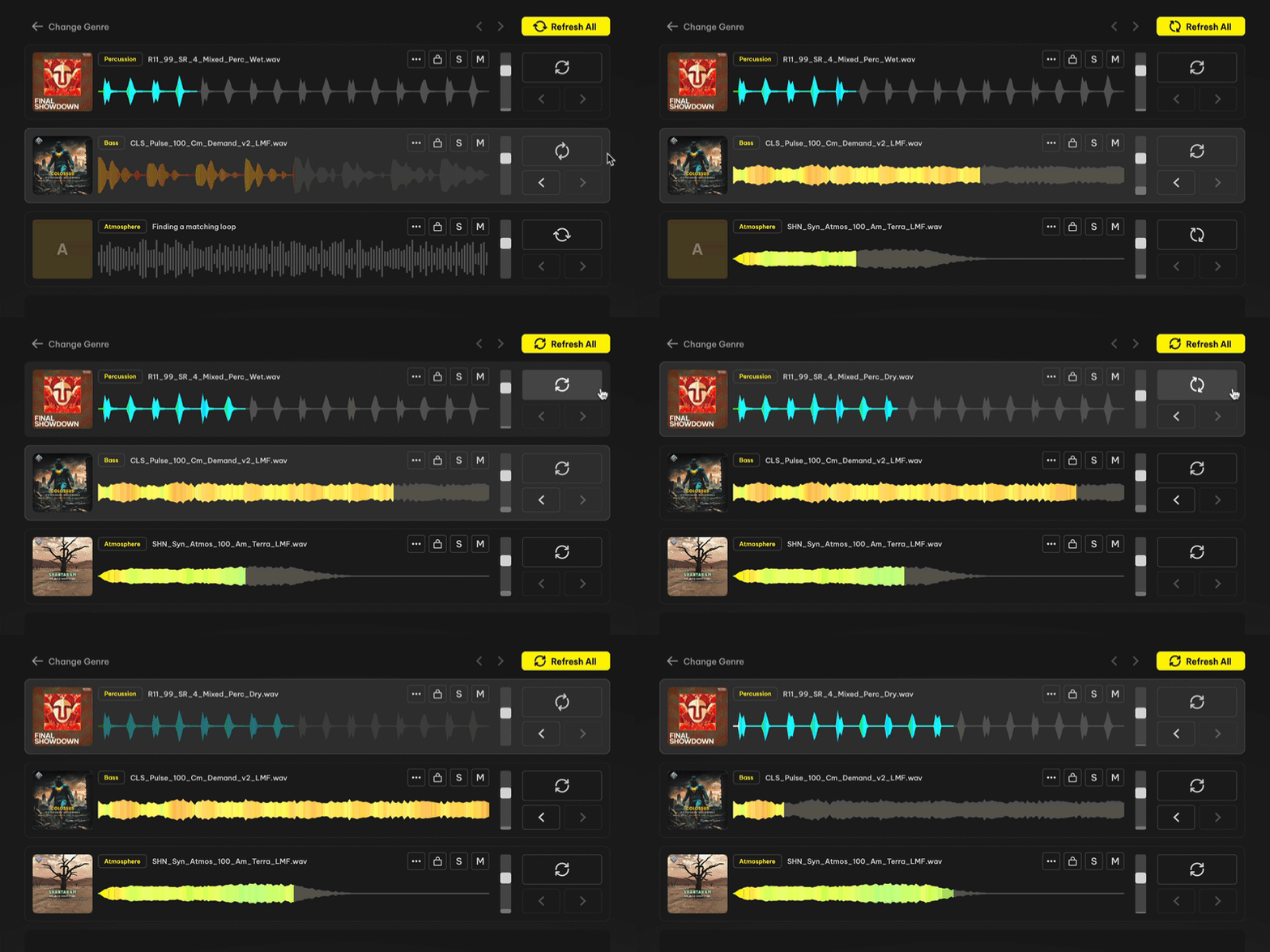
As soon as you’ve chosen your genre, Loopcloud will whip up some loops to go together, creating a fully fledged, complete beat loop in a matter of seconds. You’ll then be able to make alterations to the overall beat by choosing the key and BPM, as well as choosing a new variation and re-generating the loops entirely.
And, with Inspire onboard the new Loopcloud app, creating a starting spark to your creativity really is that simple. Once you have this ground work done automatically, there’s no telling where you can steer the ship afterward to cook up your next hit!
Beefed-up Flip Function
One pre-existing feature to receive a huge update in Loopcloud 8 is the Flip function. This function allows you to flip any sample into a new random configuration from a pool of 2000 (previously 1000) at the click of a button (or a hotkey). For example, we can select one of our loops from the previous Inspire page, by right clicking it in the preview panel, and selecting Flip Sample (or by hitting alt+F).
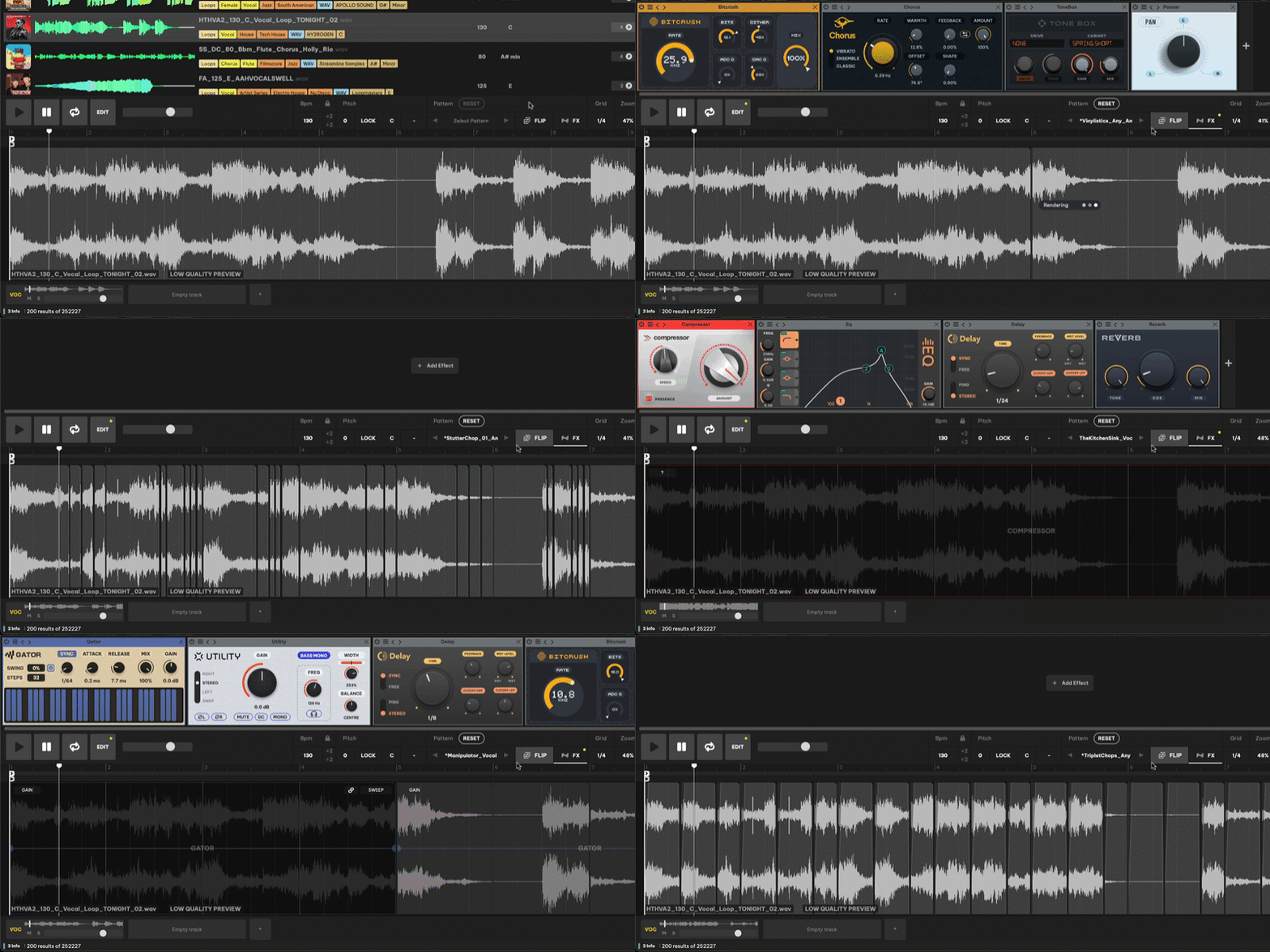
After clicking the button, your sample will be restructured into a new configuration, where the AI will have sliced your sample, and more. Out of the 2000 presets, you’ll be able to flip the sample as many times as you like until something sticks. The AI can apply different FX modules, as well as reordering different slices and reversing them.
Listen
The next primary feature of the new Loopcloud 8 update is the Listen function. This feature works by getting you to open an instance of the Loopcloud Listen plugin within your DAW, whilst having the Loopcloud app open. The plugin will then prompt you to begin playback of your existing project whilst it listens. Once listening is completed, the Loopcloud app will display a whole host of compatible loops.
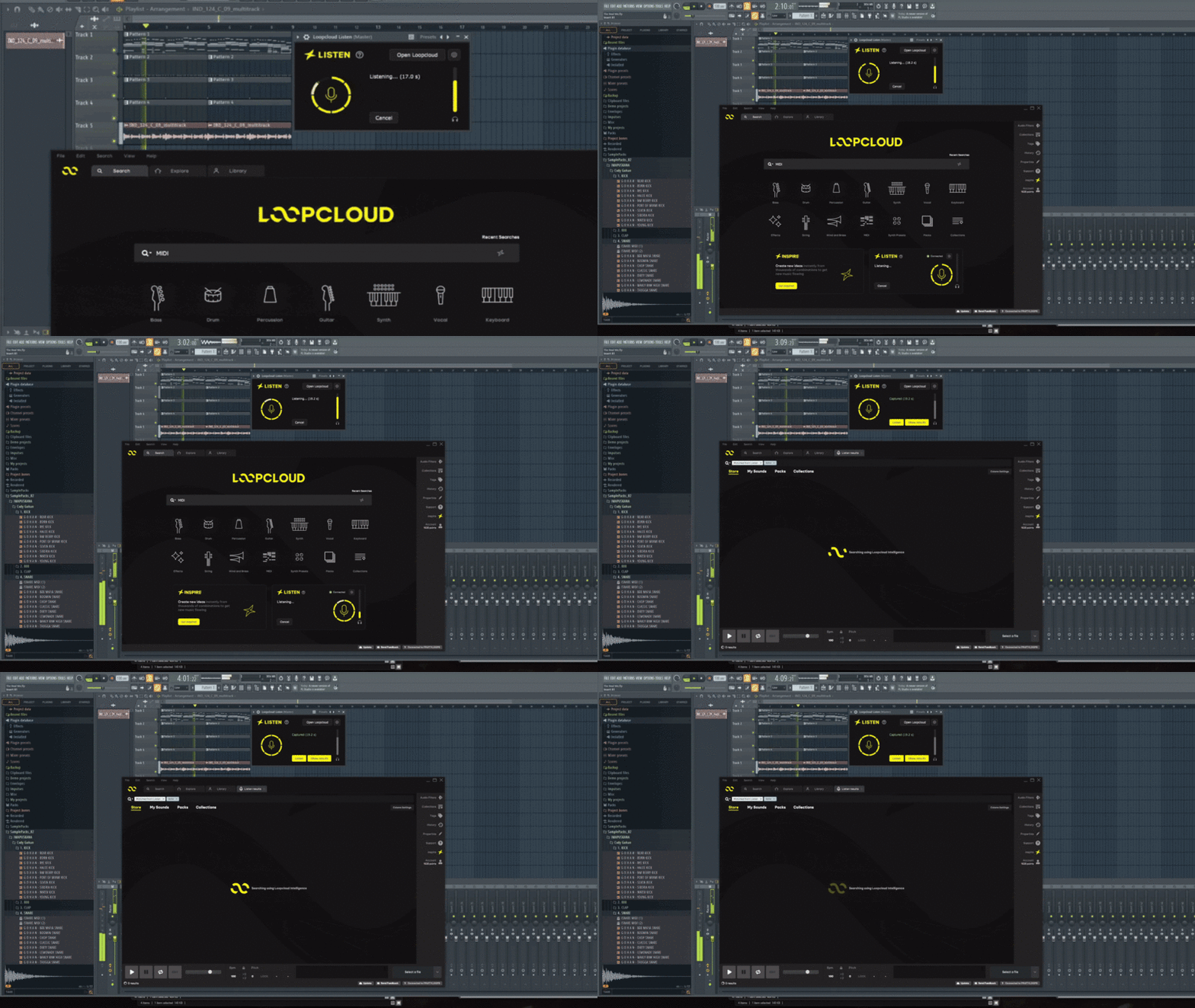
This allows you to build upon a pre-existing project with little effort at all. Once Loopcloud has done all of its behind the scenes work, you can select as many loops as you like from the newly-generated list and start adding them to your project. You can also rework them if desired.
The All-New iOS App
With the rollout of Loopcloud 8, there’s big news on top of big news. This time, we’ve brought out a long-anticipated iOS app, allowing you to cook up beats on the fly, from anywhere you like. The app contains as much functionality as possible from its desktop counterpart with the exception of features requiring a DAW. For example, the Inspire function is also right there in the app to help you get ideas sparked.
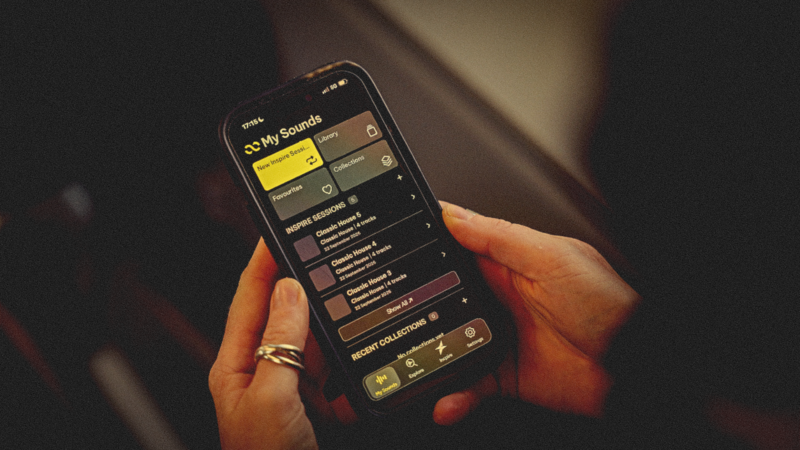
Aside from Inspire, you’re also able to preview sounds from the entire Loopcloud catalogue (that’s 5 million sounds+) and build collections all on the go. Any work you do within the Loopcloud iOS app will be accessible to you when you get back to your desktop DAW, thanks to your account being synced.
Harmonic Matching
Loopcloud Intelligence, Loopcloud’s harmonic matching algorithm, allows you to find samples that are in key sharpish. It scans for chord changes and sample positioning to match you with harmonically and melodically in-tune samples ASAP. Not to mention, it works for users own imported samples, as well as Loopcloud’s native ones.
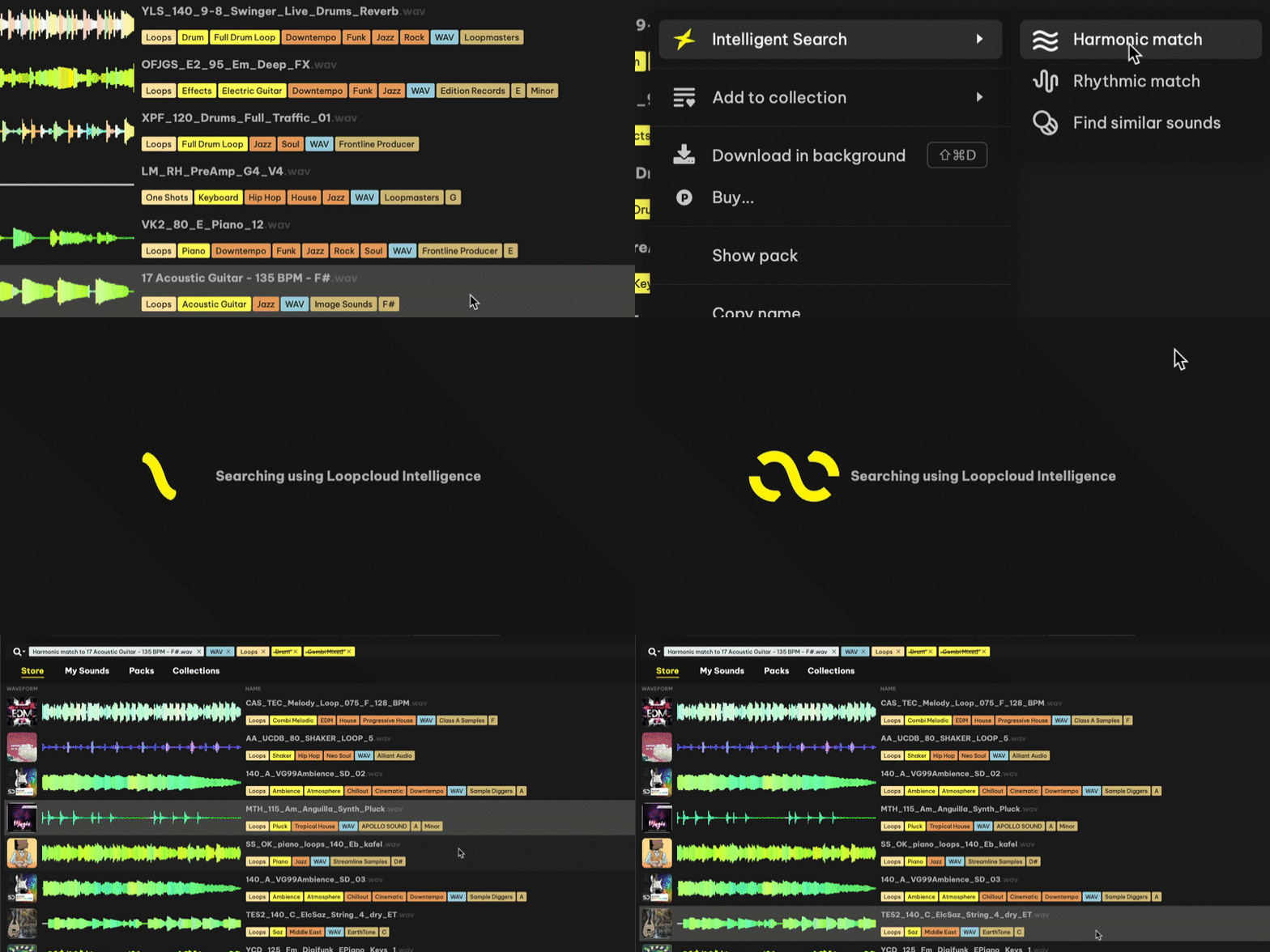
It’s faster, more accurate, and delivers stronger musical suggestions than previous versions. Drop in a chord loop or a melody, and Loopcloud Intelligence finds basslines, leads, or one-shots that sit in key without any manual searching. It’s the engine behind Listen, and it works alongside Advanced Search, giving producers more ways to land on the right sound, whether they’re searching by description, matching harmonically, or reworking a sound entirely.
Advanced Search
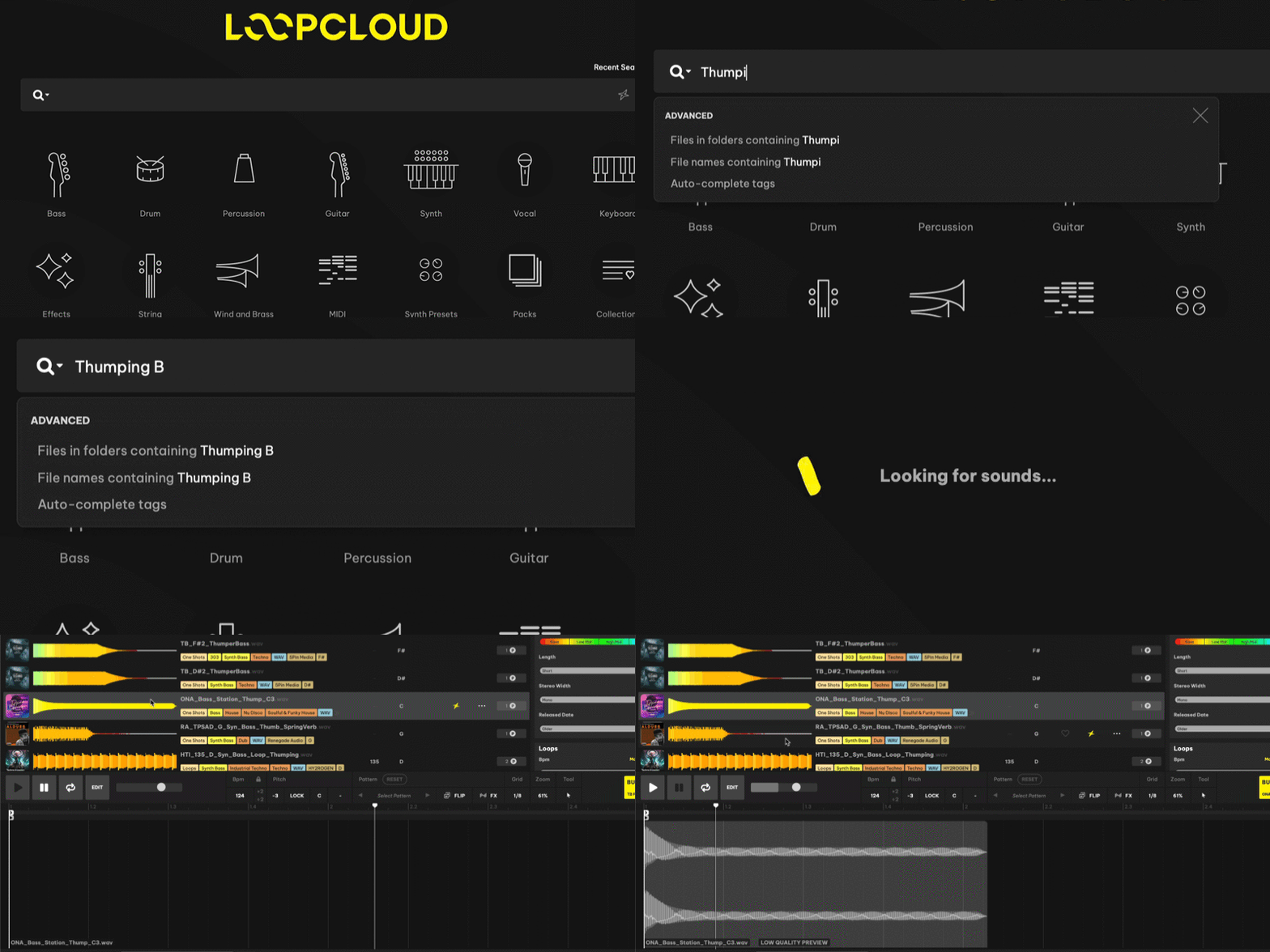
The old Loopcloud search left users with having to type really specific terms into the search bar to spit out exactly what they were looking for. Well, with improved AI and meticulous work by our team, now the search bar functions much like any other search browser out there. You can be as abstract as you like and the AI will work hard to bring you something that matches.
New FX
Loopcloud 8 brings five brand new effects to the table that were unavailable in previous iterations. First, we have TranceGate; a step sequencer with swing, tied runs, and randomize, for rhythmic gating and movement. Next, we have Looper that comes with BPM-synced loop size with adjustable speed, direction, and gate control.
Then, there’s Utility, which essentially is gain, pan, width, and mono-bass all packed into one effect. Lastly, we have Chorus and Bitcrush. Chorus is a new addition to the effects chain for width and depth. Bitcrush is new as well; a crunchy, digital distortion effect.
Try them below! Use your mouse to adjust:
MIDI, Rebuilt
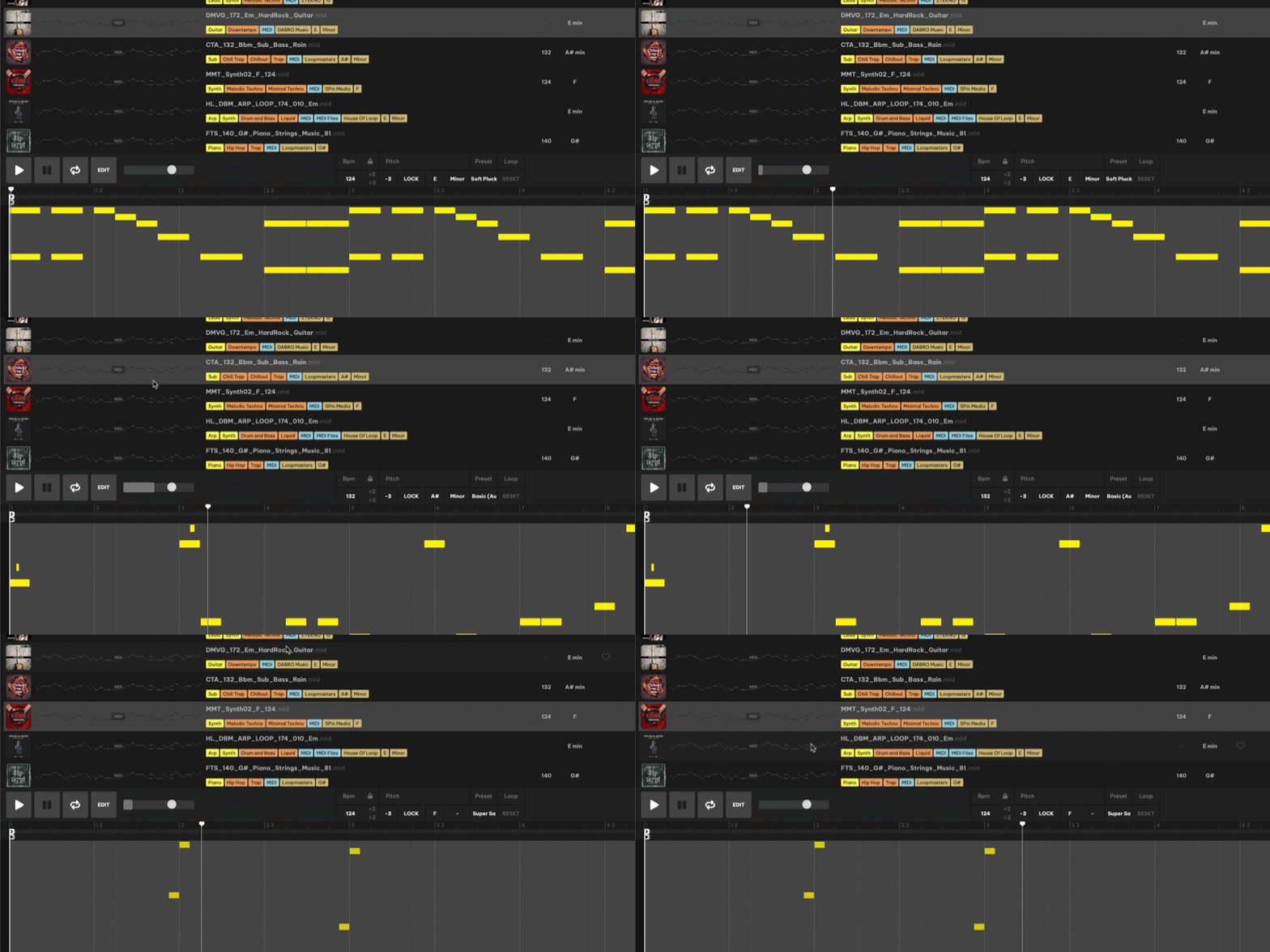
Loopcloud’s MIDI library now spans around 100,000+ files, which includes roughly 8,000 just for drums. Six new kits bring genre-accurate sounds to drum MIDI, alongside new melodic instruments for everything else.
Upgraded Drum and Play plugins
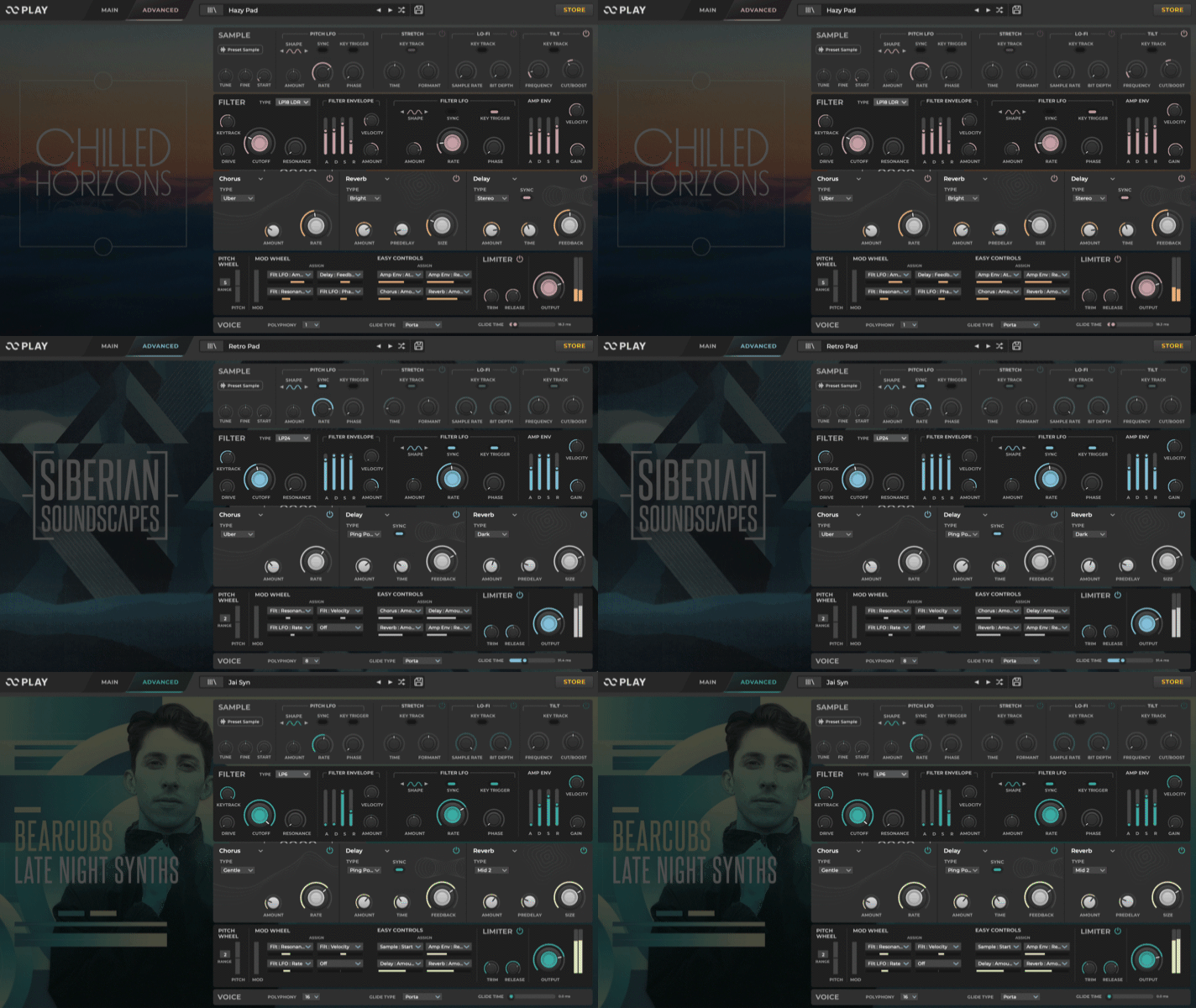
Loopcloud 8’s major update leaves no stone unturned, with our favoured Drum and Play plugins also receiving an upgrade. PLAY, Loopcloud’s sample-based instrument, gets five new effects for more creative range, and now supports importing samples directly. You can drop in a vocal chop, or even a field recording and it’s ready to play.
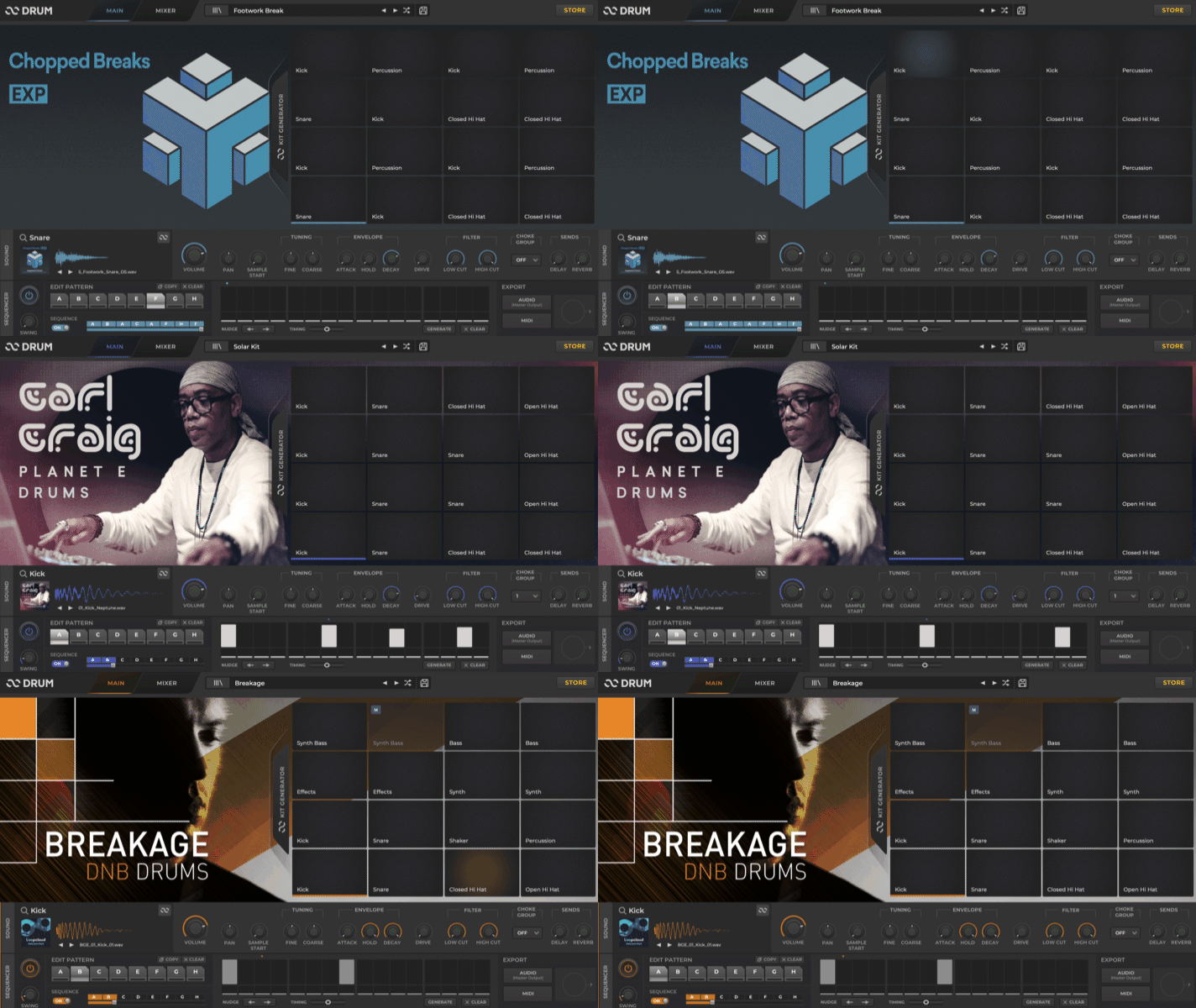
DRUM, the built-in drum machine, gets smarter in the sequencer. The pattern generator now reads instrument and genre tags, so the patterns it suggests fit the sounds you’ve loaded instead of arriving at random.
Whether you’re building instruments from your own collection or generating kits from the Loopcloud catalogue, both tools go further than before.
New Subscription Goodies
As well as all of the upgrades to the software itself, the rollout of Loopcloud 8 comes with some extra goodies for our loyal subscribers too. As of the release of Loopcloud 8, subscribers to the service now get access to Producertech’s full course library at no extra cost, with over 400 hours of tutorials covering genre production, synthesis, EQ, compression, and advanced Loopcloud technique. This gives subscribers a way to keep developing their skills alongside the tools they use every day
But that’s not all. Loopcloud is partnering with some of the best plugin developers on the planet, such as Baby Audio, Tone Empire, Rhodes, and Beatsurfing, to offer one free plugin each month to subscribers (that’s 12 per year). Not to mention, annual subscribers can access each one at any point throughout the year.
Start Using the New Features Today
Find what you're looking for with Advanced Search, get more tracks started with Inspire, discover more sounds with new ways to match. If you're an existing Loopcloud Subscriber, open your app to download the update.
New users can start a Loopcloud trial to get creating with the world’s most comprehensive collection of sounds and the tools for working with them!

Keep Ideas Moving
Try Loopcloud free for 14 days. Cancel anytime.

Import your existing sounds · Works with your existing DAW · Setup in under 2 minutes