


The Best MIDI Keyboards and Controllers for 2025 – a Buyer’s Guide
Learn how to choose your keyboard, drum pad or DAW controller. Who needs what? And what features will be useful to which buyers?
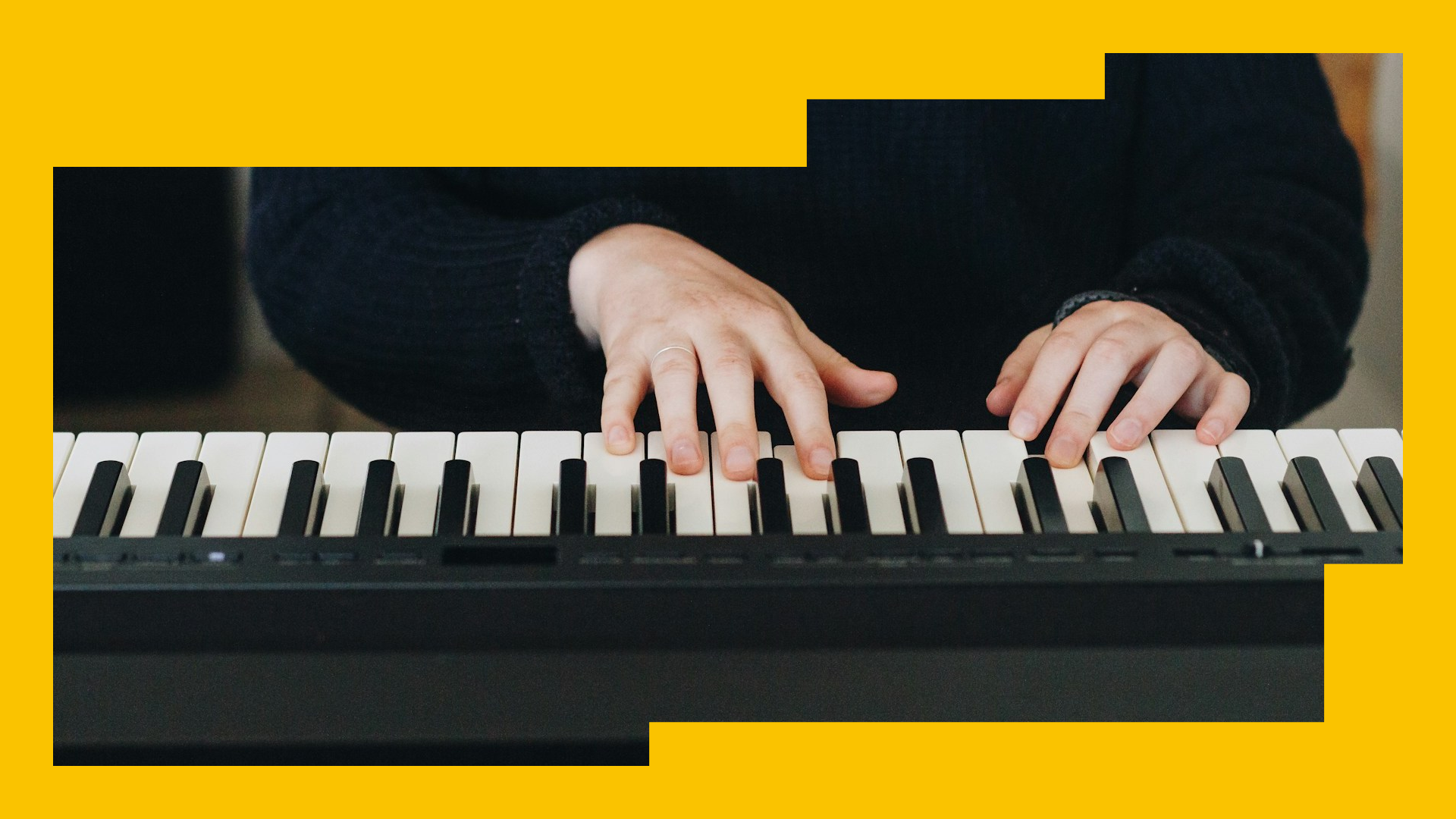
Photo by Sincerely Media on Unsplash
Almost every music producer would benefit from a MIDI controller of some kind. Perhaps you use samples to make music; maybe you write your own chord progressions; or perhaps you start with drum programming before anything else. However you make the magic happen, it’s likely an external hardware controller can help you make more music, make better music, and to do it faster.
There are many types of MIDI controller out there, in all shapes, styles and sizes, from classic-looking piano-like devices to out-of-this-world multidimensional jelly controllers. There’s a difference between 25-key, 45-key, 61-Key and 88-Key controllers, too. Given the breadth of what’s available, there’s something for everybody out there… somewhere.
In this article, we’ll take you through the considerations you should make when choosing your perfect MIDI controller, and give you some (unbiased) suggestions on what units you could look into.
How does a MIDI controller work?
MIDI controllers don’t make sound by themselves in the way that say, a synthesizer does. Instead, they send instructions (such as what note to play) to an instrument or DAW. Programming notes in your DAW’s piano roll is one way to control the MIDI notes in your project, but you can achieve the same result with a MIDI controller by pressing keys, turning knobs, and hitting pads.
Why do music producers use MIDI controllers?
It’s long since been possible to produce music entirely ‘in-the-box’, but many prefer controllers as a more tactile, hands-on approach. There’s just something about playing keys and twisting dials and hearing the results in real time - it feels more natural, and more importantly, fun. MIDI controllers come in all sorts of weird and wonderful varieties, with endless use cases: perhaps you want to interact with a keyless modular synth, or maybe you’d like to launch audio clips for a live DAW jam. They also pack a wealth of tools to inspire creativity, such as arpeggiators, sequencers and performance pads.
Option 1: The mini MIDI keyboard
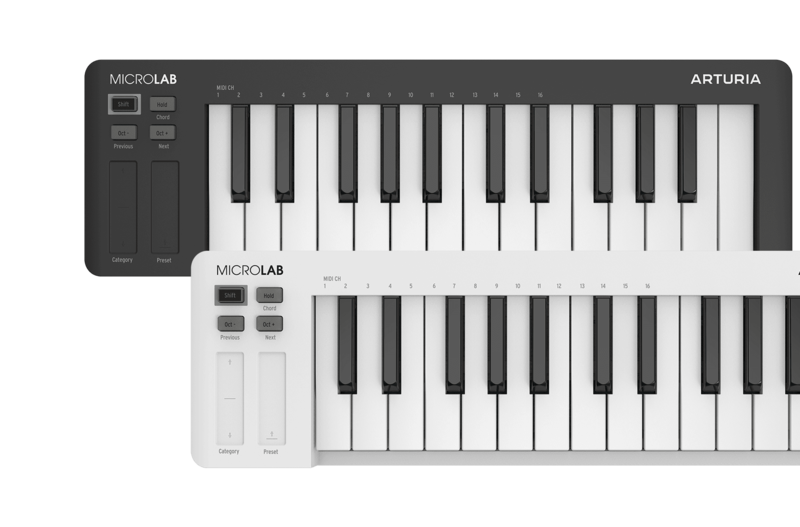
Producers who are new to production may appreciate the no frills, small form factor of Arturia’s MicroLab mk3. The petite size (and price, for that matter) belies a solid build quality which makes it great to shove into your backpack and play on the go. A word of advice though; use headphones when beatmaking in public… don’t be that guy.
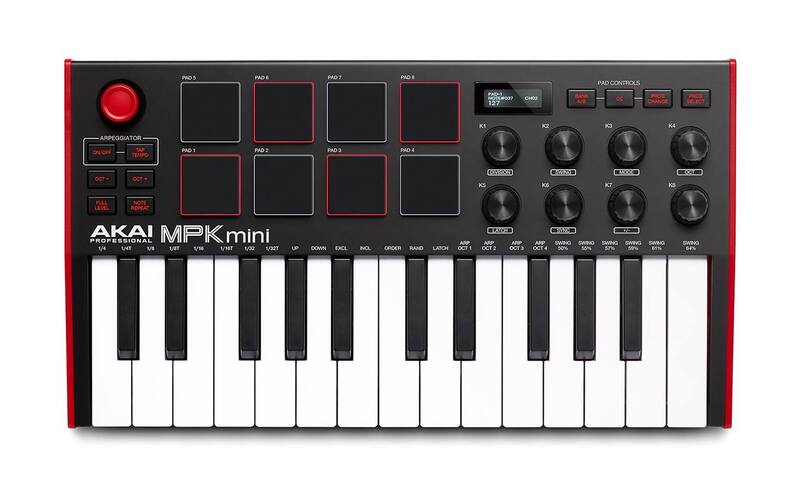
A more well-rounded, yet still reasonably priced option is the Akai MPK Mini mk3. It’s a ubiquitous MIDI controller in 2025, and with good reason; those famous Akai MPC pads are as fun to play as they were back in the 90s, and it’s easy to see how the company built its reputation on them. The low price does make for some caveats - whilst there are eight assignable knobs, faders are notably absent, and some people report struggling with the fiddly pitch/mod joystick.
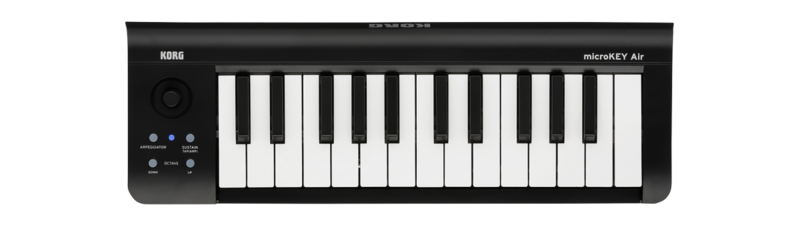
Perhaps you’re wanting to untether yourself from the studio even further? Korg’s MicroKEY Air offers low latency, high stability Bluetooth functionality, allows you to jam on your laptop or even smartphone without the faff of pesky wires.
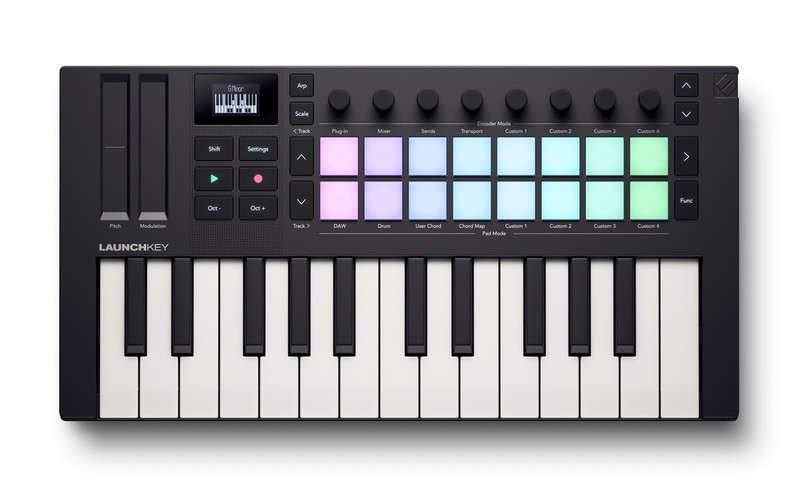
The Novation Launchkey Mini MK4 offers higher performance in a small package. The 16 pads unlock more playing power for sequencing, drum programming and launching clips (although they’re not as solid as Akai’s), and there’s also more going on under the hood. With the inclusion of fun tools such as an arpeggiator, scale/chord modes and a step sequencer, you can’t argue with what you get for the cost
Option 2: The medium or large keyboard
If you’re looking for a simple beginner keyboard to practice your piano chops, Nektar’s SE range offers a minimalist design without too many bells and whistles to distract you. The full-sized keys, adjustable velocity sensitivity curves and large, satisfying pitch/mod wheels allow you to focus on expressive playing. If you’d prefer to have deeper software integration and more functionality without breaking the bank, try the Arturia KeyLab 49 mk3. It’s well built, with ample pads, knobs and faders, and offers some fun extra tricks like an arpeggiator with a ‘random’ button for throwing out some MIDI curveballs.

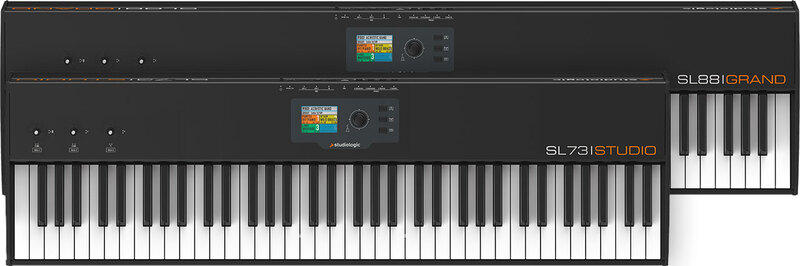
For professional players who want a large piano-style controller with authentic hammer action, the Studiologic SL88 is a wise choice. Made with the design philosophy of ‘do one thing, and do it well’; in this case, it’s a remarkably close simulation of a real piano key action. Studiologic is a sub-brand of Fatar, the company that makes the high quality keybeds found in many other controllers, including some in this article, no less.
Maybe you’re going DAWless and want maximum control over the rest of your gear? If that’s the case, Novation’s SL MKIII still holds up well despite being a bit older. Their flagship keyboard is designed to function as an all-singing, all-dancing nerve-centre of a modern-day hardware studio. It includes an 8-track polyphonic sequencer, CV/Gate outputs and a deeper level of integration thanks to multiple screens and an impressive selection of hardware templates.

Option 3: The pad controller
For budding beatsmiths who want to focus on finger-drumming, Akai’s MPD218 is a no-nonsense controller in MPC form factor with fat, backlit drum pads that are begging to be used and abused. And for those willing to compromise velocity sensitivity for precision, the MIDI Fighter Spectra offers high quality arcade-style buttons which feel amazing - and it’s built like a tank to boot.

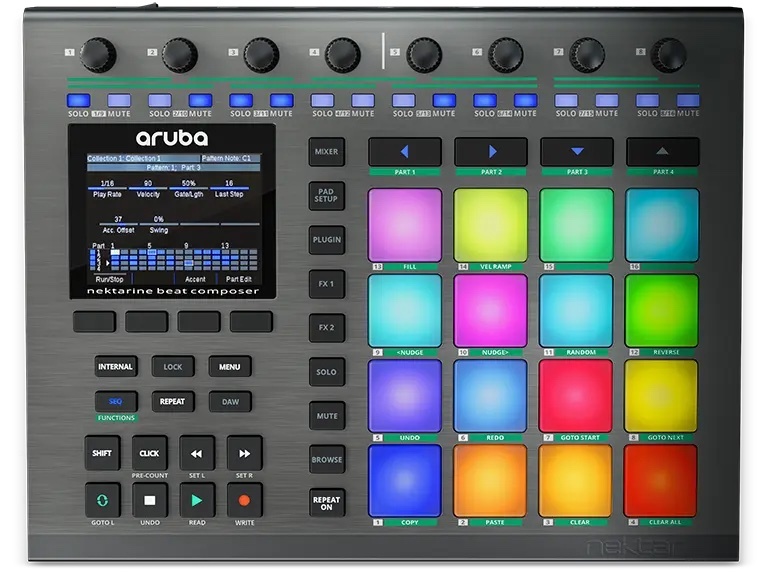
We couldn’t mention pad controllers without tipping a nod to the Ableton’s Push 3. Its high quality MPE-enabled pads are made to be played rather than hit. Tightly integrated within the Ableton ecosystem and aimed at both live and studio performance alike, you can launch clips, sequence MIDI loops and lay down beats to your heart’s content. The latest version can even be unplugged to use as a standalone studio on-the-go - albeit at a premium price point. Not an Ableton user? Try the Nektar Aruba. It boasts plenty of pads, knobs and faders, includes a plugin mapping system, is great for creating snappy workflows, and plays nicely with all major DAWs via its Nektarine software layer.
Option 4: An MPE controller
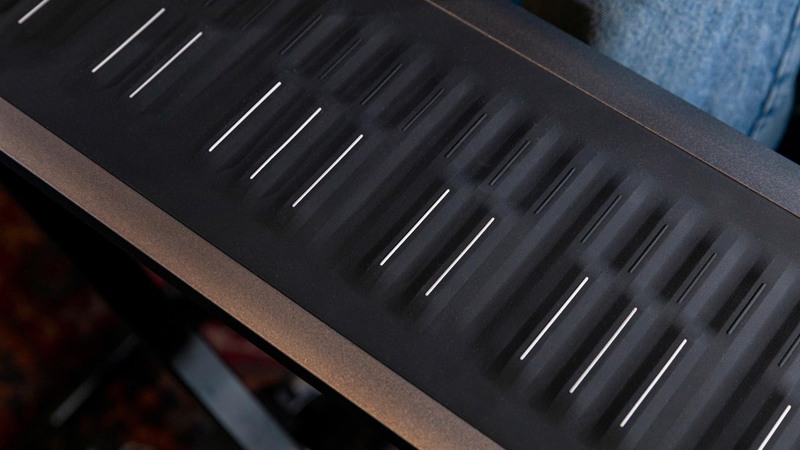
Roli have been making waves in this space with their unique silicon–surfaced piano–layout controllers, such as the Seaboard 2. The squishier keys take a bit of getting used to, but once you’ve wrapped your head around it’s easy to see the implications of continuous, per-note expressive control on live performance. You’ll find it unlocks a style of playing closer to a string or wind instrument than a piano.
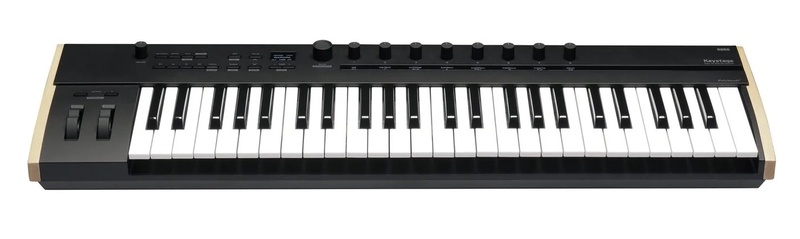
The Korg Keystage offers a more limited form of “pseudo-MPE”, albeit one not as expressive (or overwhelming), due to its rigid keybed form factor. It’ll give you some expressiveness, but less so than real, nuanced polyphonic expression, which could be a help or a hindrance depending on your playing style. Either way, the inclusion of pitch and mod wheels helps make up for these shortfalls.
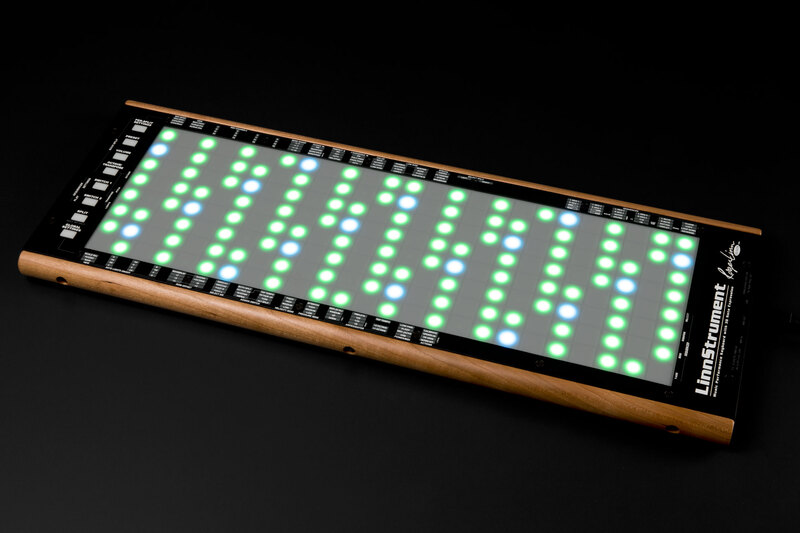
For the ultimate in expressive MPE performance, the mighty Linnstrument boasts a large playing surface of either 128 or 200 pads, each of which can be modulated in five different ways; velocity, pressure, left/right, front/back and release velocity. Its grid based layout potentially makes for a steeper learning curve than a traditional keyboard style controller, but could also unlock new musical ideas for those willing to push out of their comfort zone.
Option 5: The DAW controller
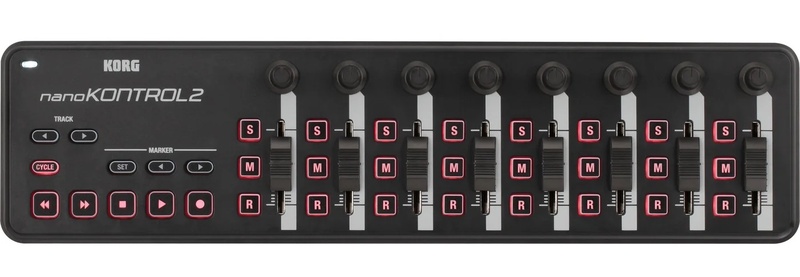
Some people want hands on control in the smallest possible form factor, and you might be surprised about how much you could squeeze into a compact controller that has everything you need. Korg’s dinky nanoKONTROL2, for example, manages to pack transport buttons, faders, and knobs into a strip barely wider than a laptop.
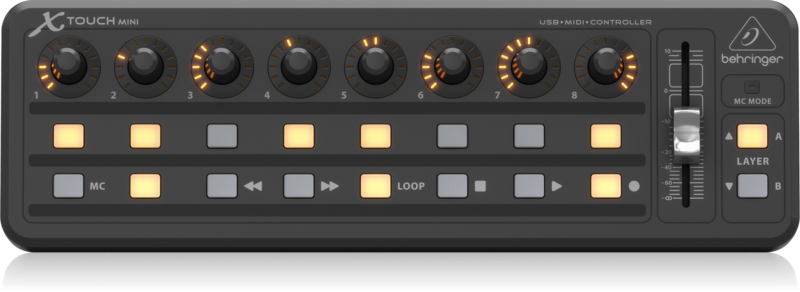
If you’re someone who likes to ‘ride the fader’, the Presonus FaderPort is a one-handed controller that boasts a touch-sensitive, 100 mm long-throw, motorized fader and easy access to other essential transport controls and key functions. Behringer’s X-Touch Compact is a low profile controller with Mackie control which means good out-of-box mapping with all major DAWs. The clever dual-layer mode helps repurpose controls on the fly, so you could jump between controlling, say, your DAW and lighting during a live performance.
Conclusion
When it comes to MIDI controllers, we’ve never lived in an era of so much choice - but with so many options to consider, it’s easy to get overwhelmed. The key thing to understand is that it’s less about specs and more about how you want to make music - your own needs and workflows, and of course, what you enjoy.
If portability and quick sketches matter, a compact controller like the Akai MPK Mini or Arturia Microlab keeps things simple. If you want expressive playing or deeper DAW integration, the SL88 and KeyLab respectively will give you more room to grow. Those leaning into hardware setups will get the most from advanced boards like the Novation SL MkIII, while hands-on mixers may opt for the FaderControl.
In short, match the controller to your production or performance style - the best choice is the one that removes friction and makes you actually want to sit down and play.
Keep Ideas Moving
Try Loopcloud free for 14 days. Cancel anytime.

Import your existing sounds · Works with your existing DAW · Setup in under 2 minutes